- Nothing OS 5.0 stable rollout has officially begun, with the first device already in line for the update.
- The update schedule reveals when other Nothing and CMF smartphones could get the new software.
- The rollout is staggered, and not every eligible user will receive the update at the same time.
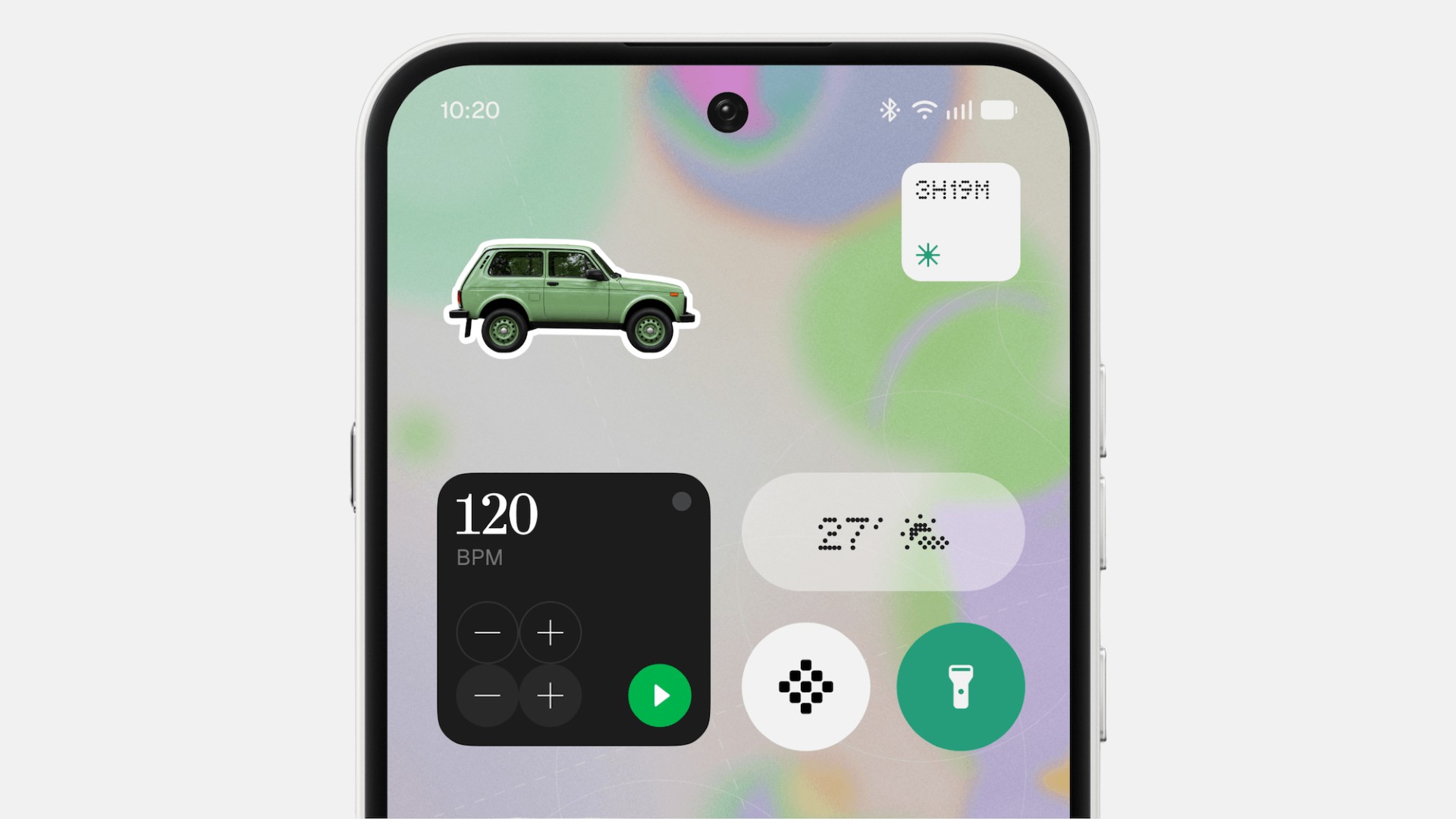
Following months of testing, the Nothing OS 5.0 rollout timeline has finally been revealed by the company. Nothing took on X (formerly Twitter) and its official community to announce the Nothing OS 5.0 stable update rollout availability for its newest UI based on Android 17. After testing the software in the beta phase, the update is now generally available and being rolled out to eligible devices.
Nothing also revealed a list of eligible devices and a timeline, so make sure you check the boxes and prepare yourself for a new iteration of Nothing OS.
Nothing OS 5.0 rollout begins with Phone (3)
The Nothing Phone (3) becomes the first device to grab the latest update based on Android 17. Interestingly, the Phone (3) users will receive the update in mid-October, and that’s not too far, considering today is already October 12. However, the company is rolling out the update over-the-air (OTA) mode, so the availability may vary depending on the device, region, or carrier.

Nothing OS 5.0 update schedule for other phones
According to the official announcement, here’s when eligible Nothing and CMF phones will receive the update.
- Nothing Phone (4a), Phone (4a) Pro: Early November 2026
- Nothing Phone (3a), Phone (3a) Pro: Early November 2026
- Nothing Phone (2a), Phone (2a) Plus: Early November 2026
- Nothing Phone (3a) Lite: Late December 2026
- Nothing Phone (4b), CMF Phone 2 Pro: Mid-Janurary 2027
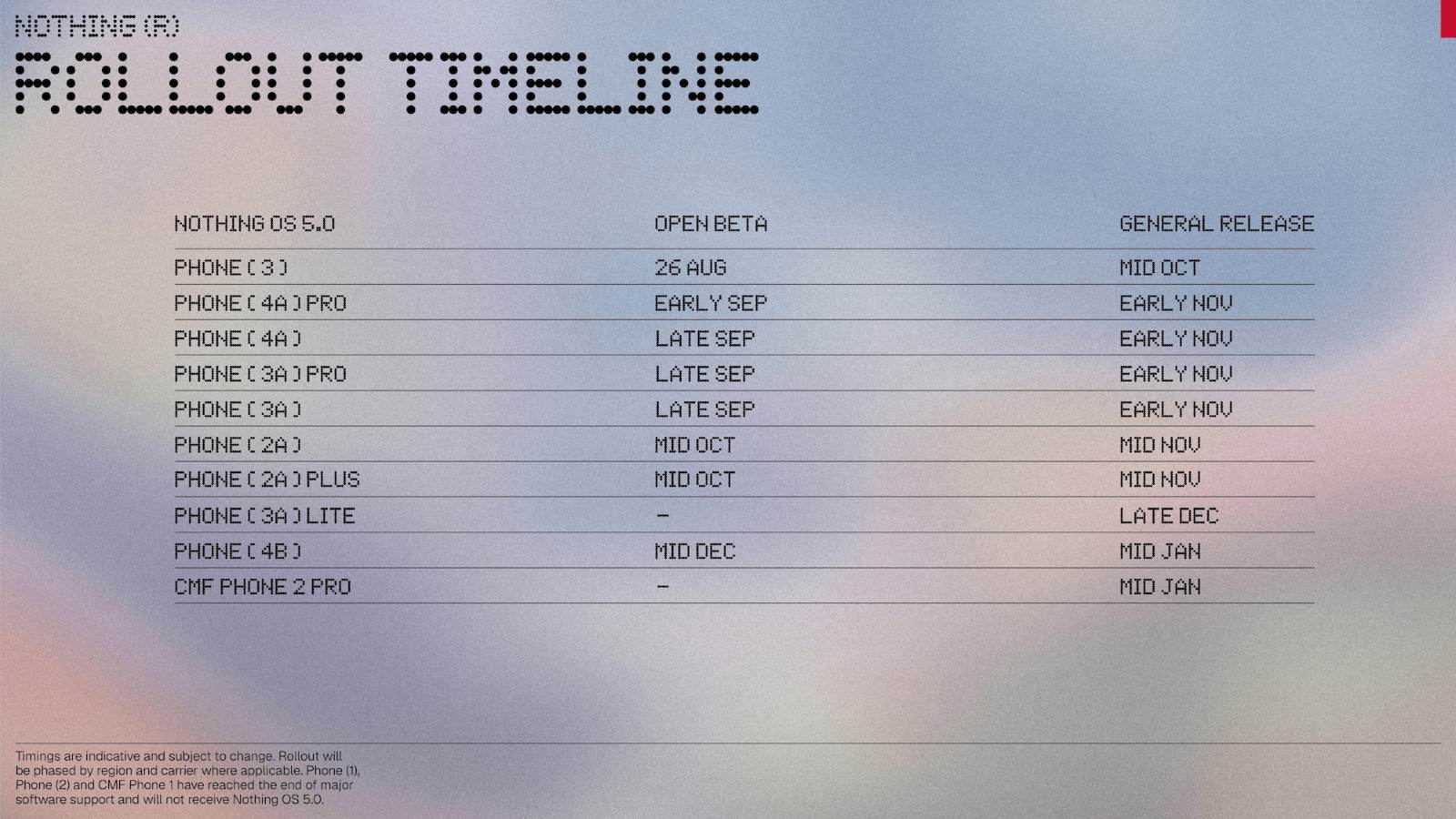
Note: The timeline is officially shared by Nothing. However, it doesn’t mean your device is guaranteed to receive the update exactly on time. The availability of updates may vary by a day, a week, or more. In order to stay aware, we recommend checking for the software update regularly, since the update can reach your device anytime, inherent to the timeline.
How to check whether Nothing OS 5.0 is available
Users can check for the update by simply following the steps given below. We would like to make it clear that it does not require you to join the open beta program. The update is stable and generally available for all eligible devices. Anyway, here’s how to check for the update.
- Open Settings.
- Go to System.
- Tap System Update.
- That’s it; now the device will show you a screen if there’s any update available.
To make the process smoother, users are recommended to back up important data before installing the update. Plus, ensure your device has enough battery and storage.
Keep up with the tech that actually matters.
Add us as a preferred source on Google Search for quicker access to our coverage.