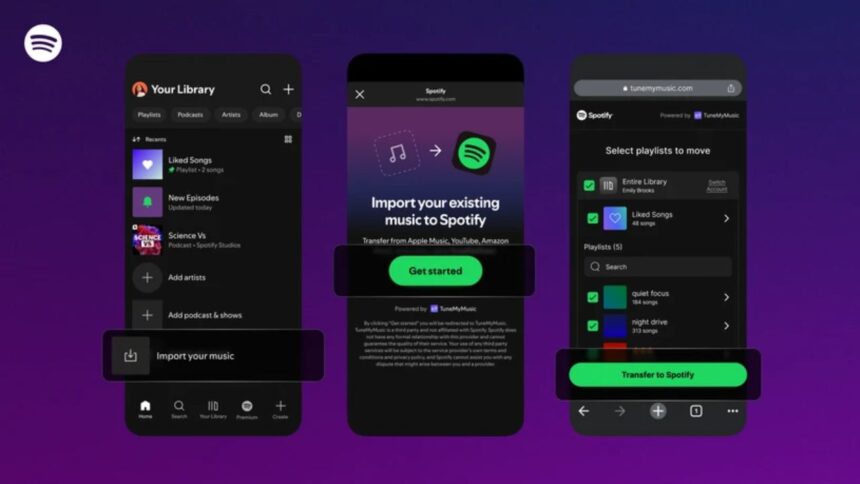
- Spotify now offers a built-in tool for easy Spotify playlists import, letting users move their full music library from other streaming apps without relying on any third-party websites.
- The new import option works with major platforms like Apple Music, YouTube Music, Amazon Music, Deezer, Tidal and more, since the feature is powered by the same technology behind TuneMyMusic.
- Imported playlists instantly blend into Spotify’s ecosystem, allowing users to edit them, collaborate with friends and get personalised recommendations based on the songs they bring over.
Spotify playlist import has long been one of the most requested features among users, especially because switching between music apps has historically been frustrating. For years, many listeners chose to stay with their current streaming service simply to avoid losing playlists they had built over time.
Spotify now appears to be the company that finally acknowledged this challenge. It has launched a new Import your music feature that lets users bring their playlists from other streaming platforms directly into Spotify. It’s a capability many users feel should have existed long ago, but the important thing is that it has finally arrived.
Spotify playlist import tool, an in-built transfer feature rolling out!
Spotify’s new import feature is in fact, the same underlying technology that TuneMyMusic uses, but it is now available as an in-app feature of Spotify. There is no need to open any external site or to copy links. Everything is done through the mobile app. The company is already distributing the feature globally in stages, so you will get to see this option in your app if it is not already available to you.
Compatible with major streaming platforms
There was no big list in the announcement made by Spotify, but since the import tool relies on TuneMyMusic, it can easily support the most well-known streaming apps. To name a few, Apple Music, YouTube Music, Amazon Music, Deezer, Tidal, and SoundCloud are some services that you can switch and move your playlists. It means that almost all users can transfer their full listening history without having to worry about whether their devices are compatible.
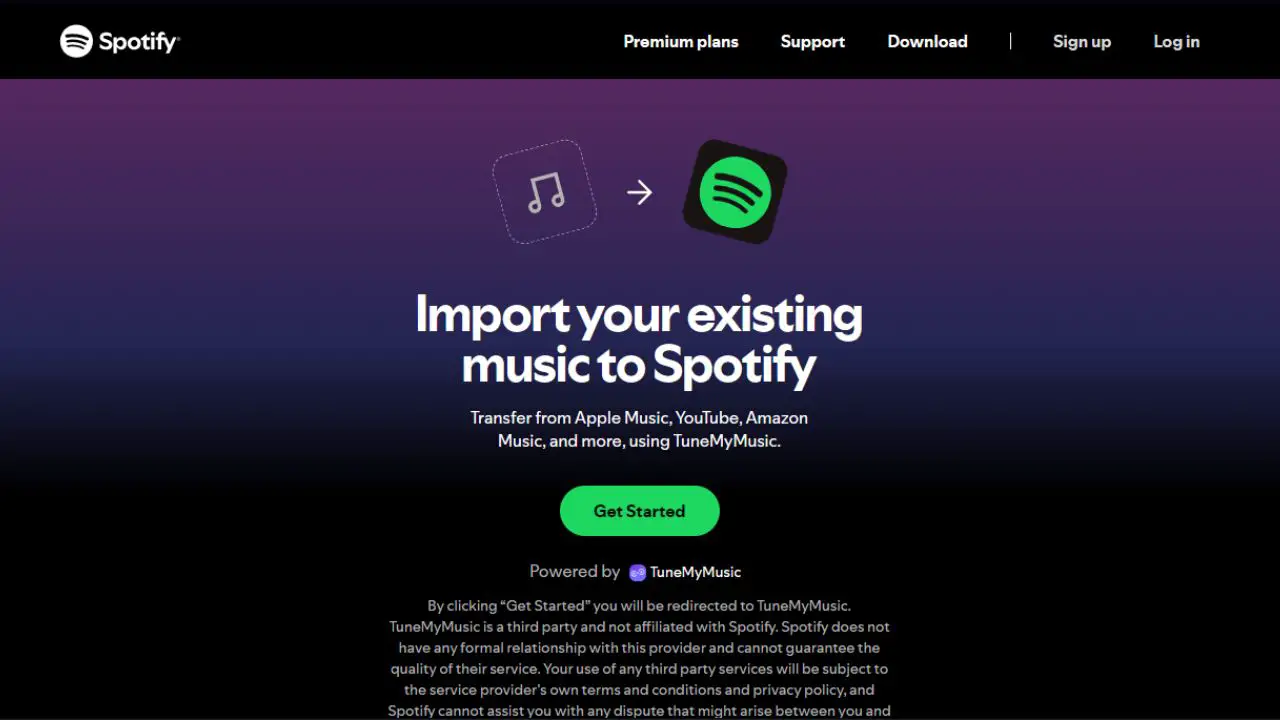
How the playlist import feature works
Setting up playlist imports is designed to be quick and straightforward. Spotify states that users only need to:
- Open the Spotify app on Android or iPhone.
- Go to Your Music.
- Scroll down and select Import your music.
- Follow the on-screen instructions.
- Authorize the import tool and select the streaming service previously used.
- Complete the transfer.
Once imported, the playlists function exactly like native Spotify playlists. Users can edit titles, rearrange songs, change cover images, share playlists with friends, or integrate them with Spotify’s creative tools.

Improved personalization from day one
Spotify highlighted that imported songs will immediately contribute to users’ personalized recommendations. This means playlists such as Release Radar, Daylist, and Discover Weekly will begin reflecting users’ real music preferences instantly—rather than starting from scratch with no listening data.
A small update with a big impact
While the feature may seem minor on the surface, it represents one of Spotify’s most meaningful quality-of-life improvements in recent years. By eliminating one of the biggest barriers to switching music apps, Spotify is making the transition smoother, faster, and more user-friendly.
With effortless playlist migration and preserved listening preferences, the feature could encourage more users to explore Spotify without the fear of leaving behind years of music curation.