- WhatsApp for iOS now lets you use the all-new search button functionality within the chat window.
- Find addresses, texts, photos, phone numbers, and beyond, with the new feature for discoverability.
- The all new search shortcut is rolling out on WhatsApp for iOS while the Android counterpart is yet to be spotted.
If you have a long chat history with someone on WhatsApp, searching for specific messages is difficult. I mean, you could be scrolling endlessly trying to find that address, phone number, text message, a picture, or absolutely anything in between. Well, turns out WhatsApp is rolling out a new feature to search messages on WhatsApp for iOS.
Search messages on WhatsApp for iOS with the new in-chat button
Rolling out on WhatsApp for iOS v26.36.74, the update was spotted by the folks at WABetaInfo. It was in the works since August, and, as of now, it is rolling out on iOS clients globally.
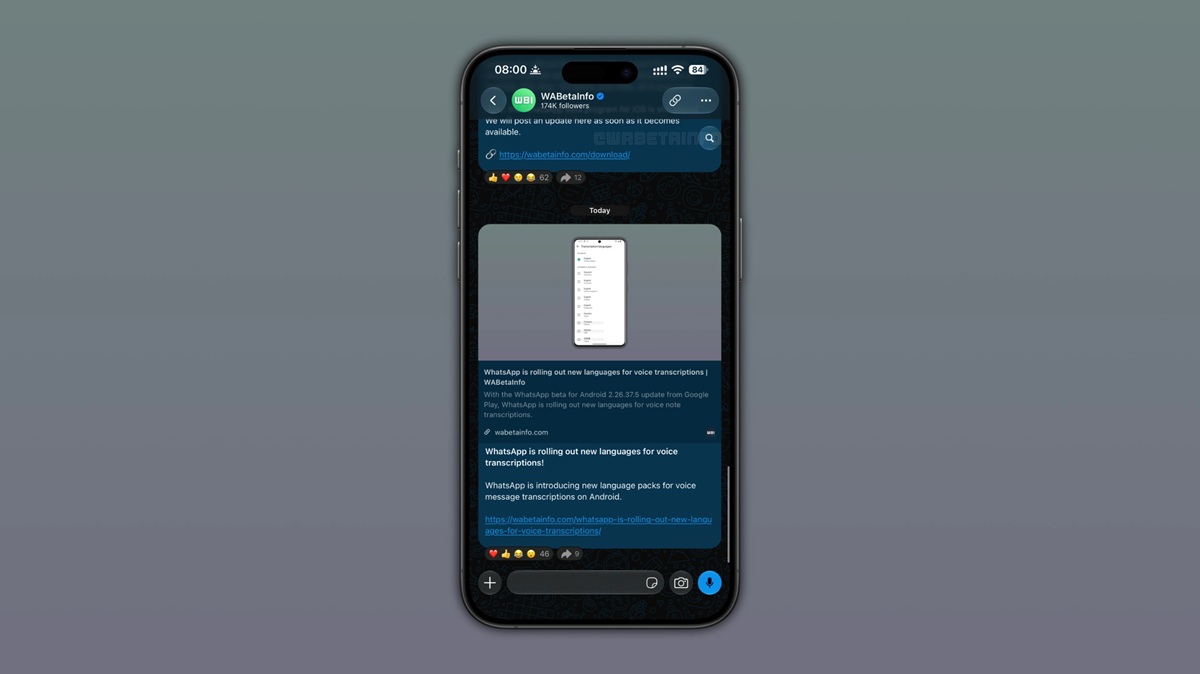
You’ll soon spot a tiny ‘magnifier’ icon appearing in a WhatsApp conversation in the top-right corner, right under the name and VOIP services. Although the feature is in clear sight, it only shows up when you scroll through the conversation, where you can use it to search for keywords or phrases to find matching results. The moment you reach the bottom of the chat, the button disappears in order not to hog screen real estate.

For the unversed, WhatsApp already offers a search functionality for specific chats that you can access via ‘Contact Info.’ However, the latest feature takes away the friction, allowing users to search for keywords either in an individual chat, a group chat, or channels. It is great for chats that are heavy on exchanges between one or more people.
Perhaps adding a search button on WhatsApp is useful, especially when you are searching for a specific term or keyword. Yes, you can still scroll, but trust me, this feature is en route to make your WhatsApp user experience a bliss.
The feature is rolling out on WhatsApp for iOS v26.36.74. You should’ve already received the feature, or if not, give it some time, as we are talking about a billion-plus devices getting their hands on the feature. Turns out there’s no update on when Android will get similar functionality.
Keep up with the tech that actually matters.
Add us as a preferred source on Google Search for quicker access to our coverage.