- With millions of apps to check out, here's our pick for the five best Android apps for this month.
- We dug the expanse of the internet, took references from editors and tech enthusiasts to bring you this list.
- We bring apps across multiple categories such as utility, productivity, AI, browsing, and beyond.
There are millions of apps on the Play Store, which means choosing the best Android apps that stay on your phone is difficult. This is especially true if you follow apps that are popular or trending; it means you are only scratching the surface, say 0.00004%. What happens with the rest of the apps, you ask?
Well, these are often forgotten, ignored, or neglected or see a lot less footfall than the mainstream ones. Turns out we have been bringing such forgotten yet underrated and useful apps right here on True-Tech for years, and this month is no exception.
Best Android apps you must try this month
Well, here we have gathered a list of 5 best apps for your Android phones that you must give a try without fail.
Collabora Office
Category: Productivity
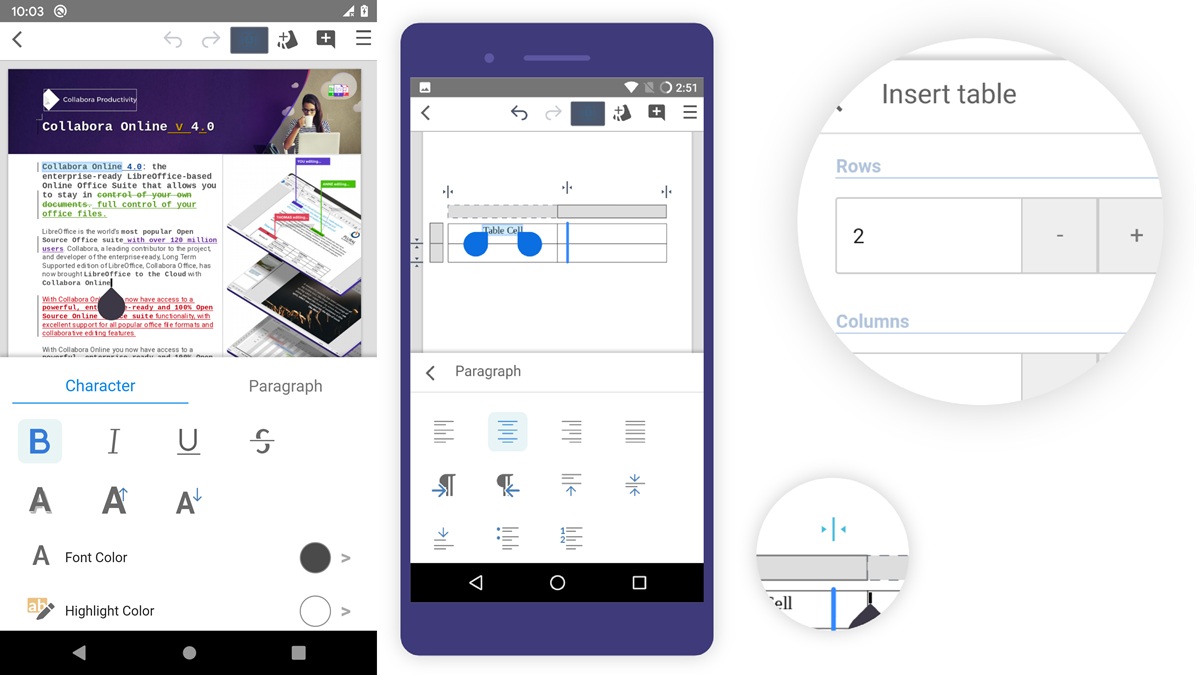
For most people, their life revolves around documents, Excel sheets, and presentations. You might be creating those documents, consuming or editing them in certain capacities. Collabora Office is an all-powerful app that supports major formats of Microsoft Office, allowing users to collaborate on doc files, Excel sheets, and presentations right on their phones.
You no longer have to sprint to your PC; your phone with Collabora is equally powerful. It lets you use all the desktop-level features while sipping your favorite cold drink or coffee, probably kilometers away from your PC.
The app supports a tonne of extensions and formats, including ODT, OTT, ots, docx, pptx, ppsx, XLSX, PPS, xlt, doc, etc.
Download: Collabora Office
Omni Browser
Category: Browser
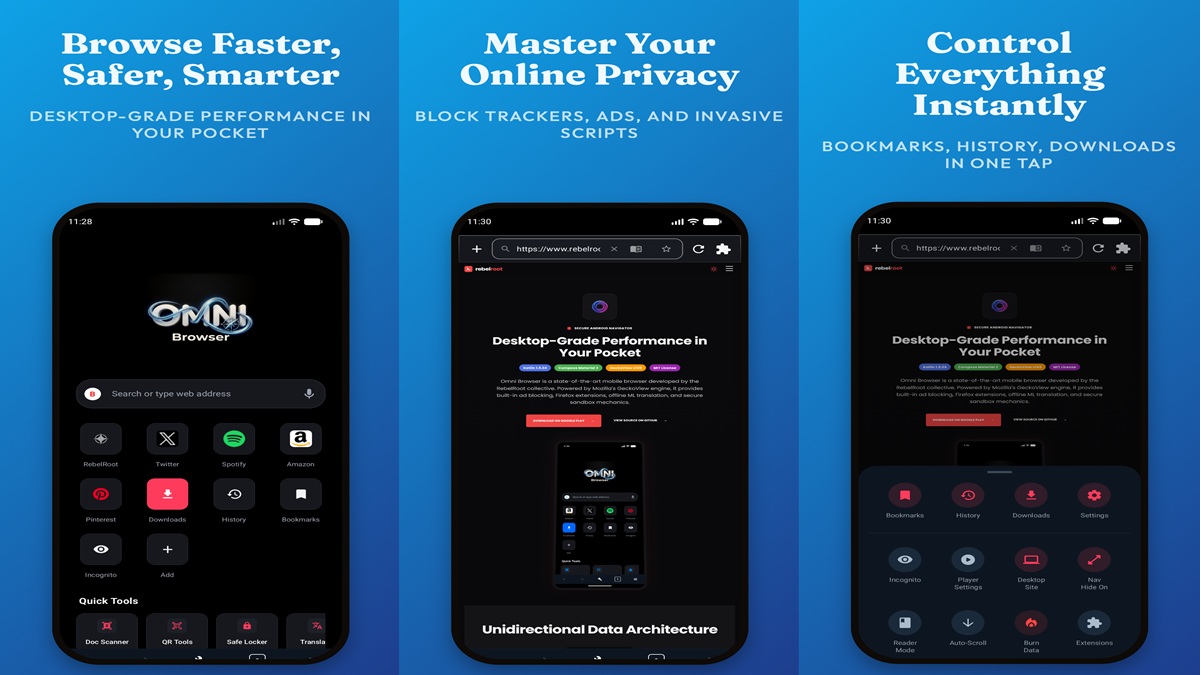
I use Google Chrome a lot, and likewise, hundreds of millions of people use it on a daily basis. However, even though it is developed by Google, it doesn’t guarantee the app is totally secure or full of features. This is where you understand the Play Store has hundreds of web browsers to check out.
The one I like is Omni Browser; the app offers a private, fast, and feature-packed browsing experience tailored to let users control their online experience. The browser has encrypted browsing on board, an image and manga grabber in high quality, and a force zoom to pinch even the slightest items on any web page. The app has a built-in QR and barcode scanner, an offline ML translator that supports 14 major languages, a clean PDF printer, and a lot of other features that you’d love.
Download: Omni Browser
Oceans of AI
Category: Productivity
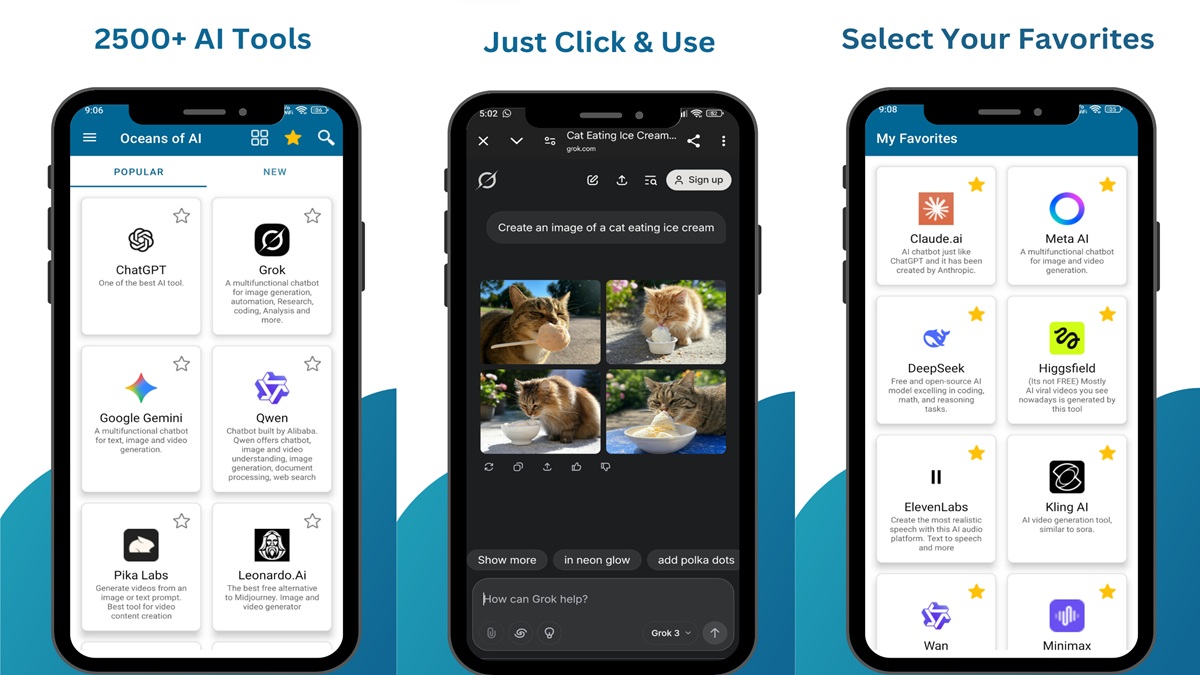
What good is an AI application when you can’t find them? With oceans of AI, you get access to more than 2500 AI applications spread across free, freemium, and premium tiers. It is a powerhouse of apps wherein you can scroll to find AI applications categorized and organized properly. The aim is to bring more AI applications at your disposal, and it simply acts as a directory helping you find apps that will really click with you.
The app supports multiple languages, new tools are added regularly, and it offers a secure browsing experience without any permissions required to run it.
Download: Oceans of AI
Bluke
Category: Utility
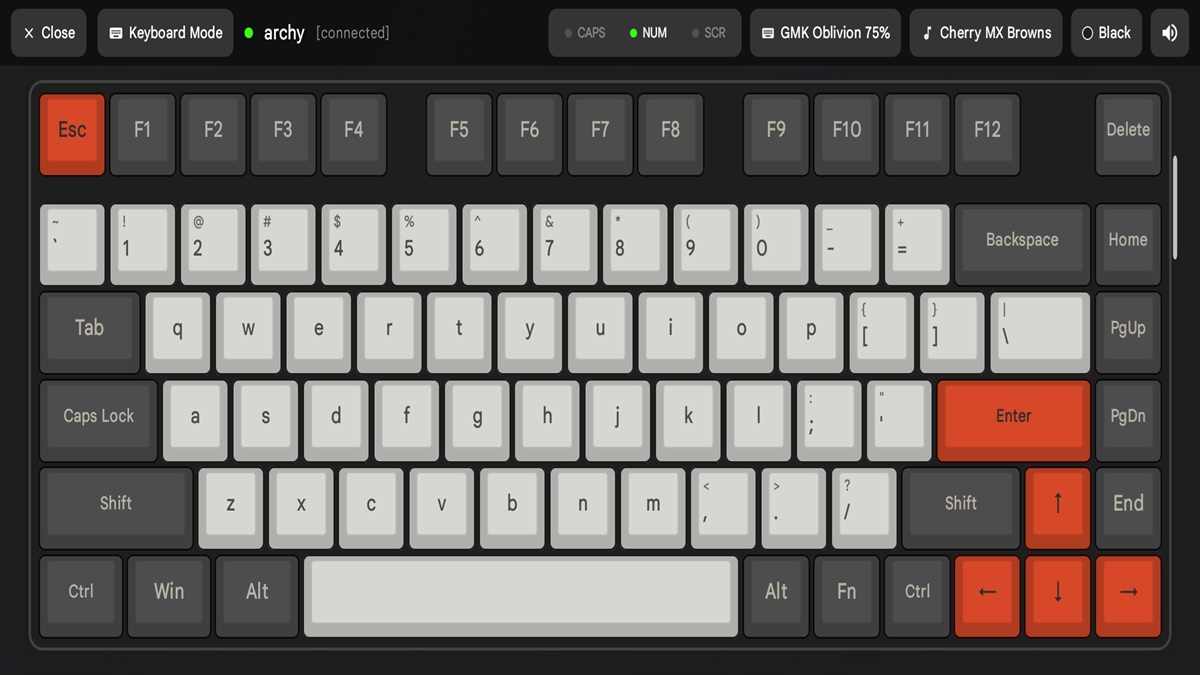
You are working on a project on your PC, and suddenly, the battery of your mouse dies, or the keyboard stops working or functioning properly. Well, what would you do in this situation? If I were you, I would use Bluke, an app that replaces a wireless keyboard, a mouse, a trackpad, or a game controller, all on your Android smartphone.
Bluke lets you turn your Android phone into a keyboard featuring a tactile mechanical feel such as Blue Alps, Alpaca, Holy Panda, Cherry MX, and more. You can convert your phone into a trackpad or gamepad with PS5- and Xbox-style toggles within the app itself. It works free of cost, with no tracking, locally storing data, and 100% offline. So, what are you waiting for? Try Bluke now.
Download: Bluke

Panda
Category: Utility / Productivity
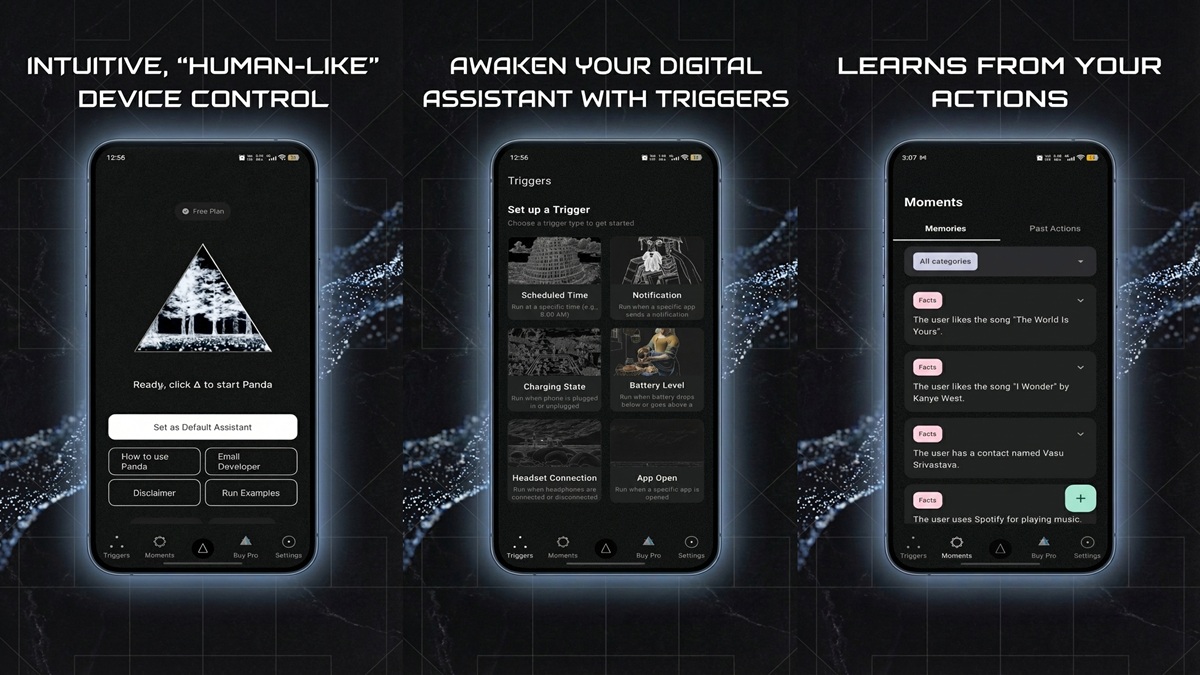
Siri can do a lot on an iPhone; Google Assistant and Gemini can do a lot on Android phones, too. However, you might want to try Panda, an insanely powerful assistant app that lets you play around with your phone using voice commands.
Panda lets you automate actions in real-time. Say “Open Camera app, flick to the front cam, and take a video at 2x zoom,” and the app will do it for you. I have tried it to send WhatsApp messages to my mom, open YouTube to search for certain keywords, launch the second video from the results, etc. I have been using Panda, probably one of the best Android apps out there, which features universal cross-app controls, notifications automation, scheduled automation, high-quality voice, and so on.
Download: Panda
Wrapping up!
Well. Well. Well! We have reached the end of our take on the five best Android apps you must check out. From a feature-rich web browser to an app that ensures your productivity stays on top of the game, here are the apps you must consider owning on your Android devices. Let us know which app actually made the cut for you.
Keep up with the tech that actually matters.
Add us as a preferred source on Google Search for quicker access to our coverage.