5 best iOS apps you must try in October 2026

Aadil Raval
7 Min Read
Highlights
  • Every month, we bring you our best picks of five iOS apps from across the categories.
  • With more than 2 million apps to choose from, it becomes a strenuous task to find and try a new app, apart from the ones you are already using.
  • Our picks for the month bring the best of productivity, utility, navigation, and note-taking, for your convenience.

Every day, I go to the Apple App Store hoping to find the best iOS apps for our monthly edition. Of course, with more than two million apps live on the platform, it is a strenuous task to find the ones you should be on the lookout for. 

Thankfully, we have an awesome team of editors and readers who point us to the best apps for iPhones to check out right across various categories, including AI, productivity, utility, budget tracker, navigation, adventure, you name it. Turns out you landed on this very page we call “best iOS apps” to check out in October 2026. 

5 best iOS apps you must try this month

Well, we introduce you to the best listicles you’ll ever find for apps chosen just to suit what you were looking for (or you could start looking for in the coming weeks or so).

OSMaps

Category: Outdoor Navigation/Maps
OSMaps
Image Credits: OSMaps, via App Store

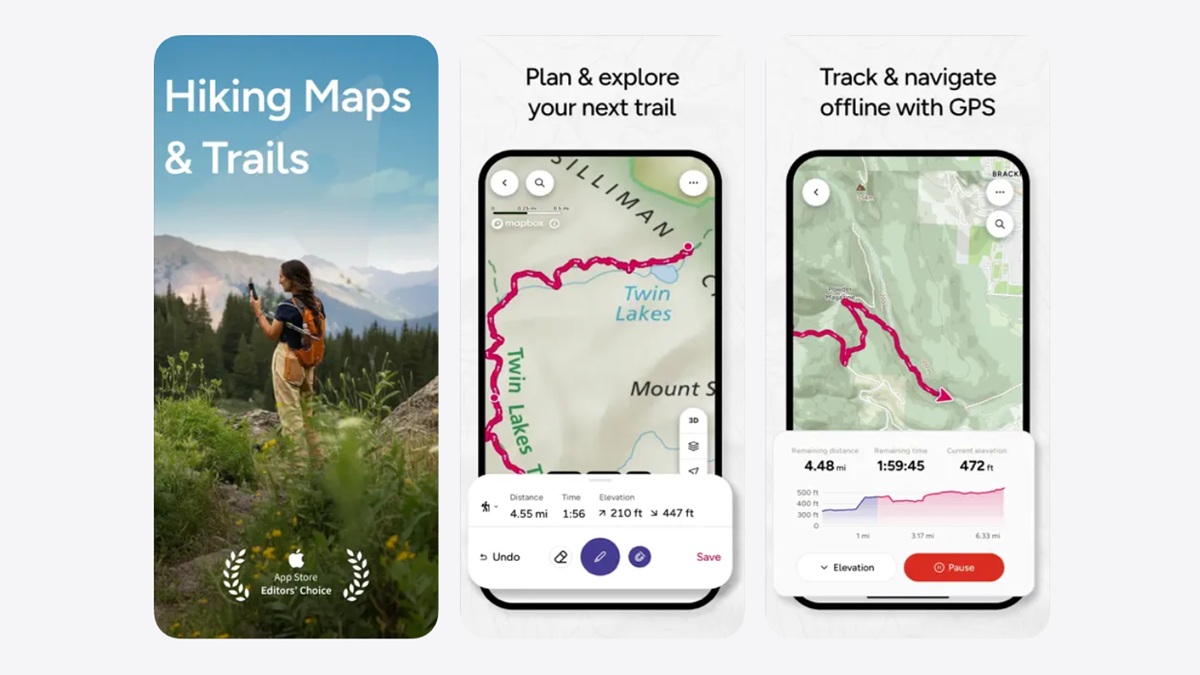
Trust me when I say this: I am not an adventure guy unless you put me on a horse or a buggy to drive uphill, even if it’s Mt. Everest (wink*). But for those who love nature and adventure, I have OS Maps. One of the most accurate maps for outdoor activities for health enthusiasts and adventurers, OS Maps guides you through trails and places in the USA. 

Albeit limited to the US at the time of writing this, the app is great for hiking, biking, running, and more, thanks to the various map layers that you can set based on your type of activity. Community Alerts are enabled in the app, informing you of any obstructions, trail closures, or the like, which is great. You can use anything from your laptop to iPhone to Apple Watch for the directions; it’s as simple as that.

Download: OS Maps

Compass & GPS

Download: Navigation 
Compass & GPS
Image Credits: Compass & GPS, via App Store

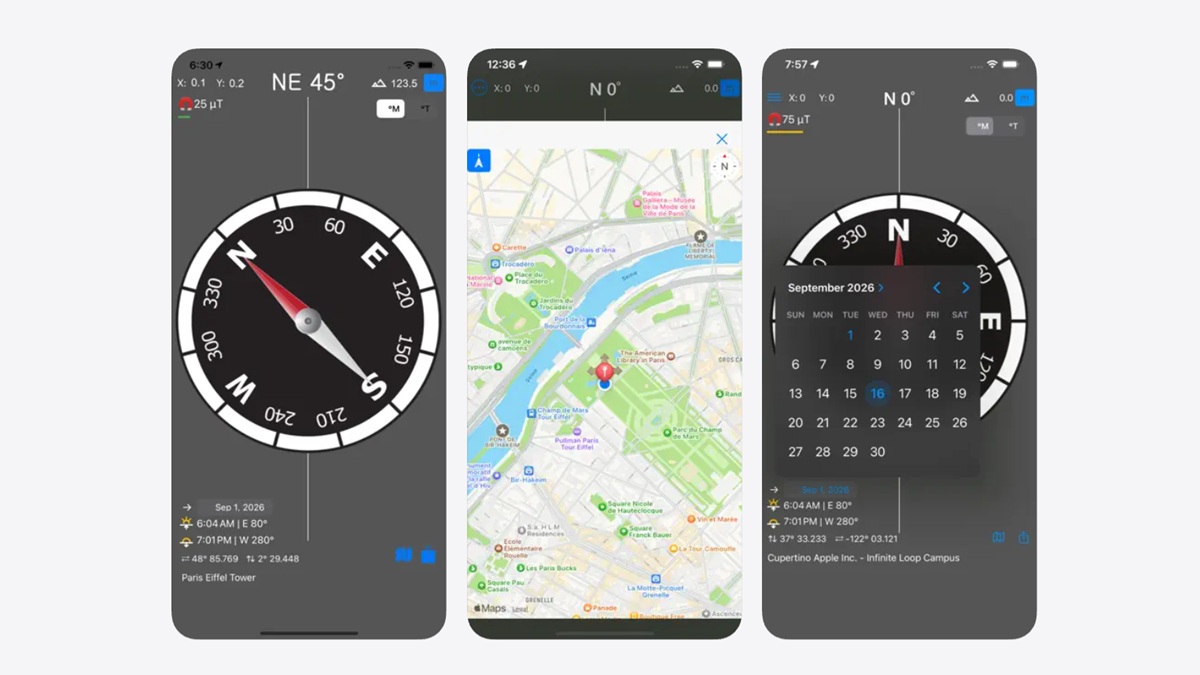
Lost in a jungle? Or on-board a boat? Maybe stuck in the Himalayas or simply on a track uphill somewhere with no internet or sense of direction? Well, that’s where the compass app comes into the picture. Using the sensors on board, the app lets you determine your orientation and cardinal directions such as north, south, east, or west. 

The app works in any conditions during hiking, traveling, wandering, or when you can’t find your way back home. The app lets you share your location with others and plots you on a map so that you can find your way out. 

Download: Compass & GPS

Polarsteps

Category: Travel Tracker
PolarSteps - the best iOS apps to try in September 2026
Image Credits: PolarSteps, via App Store

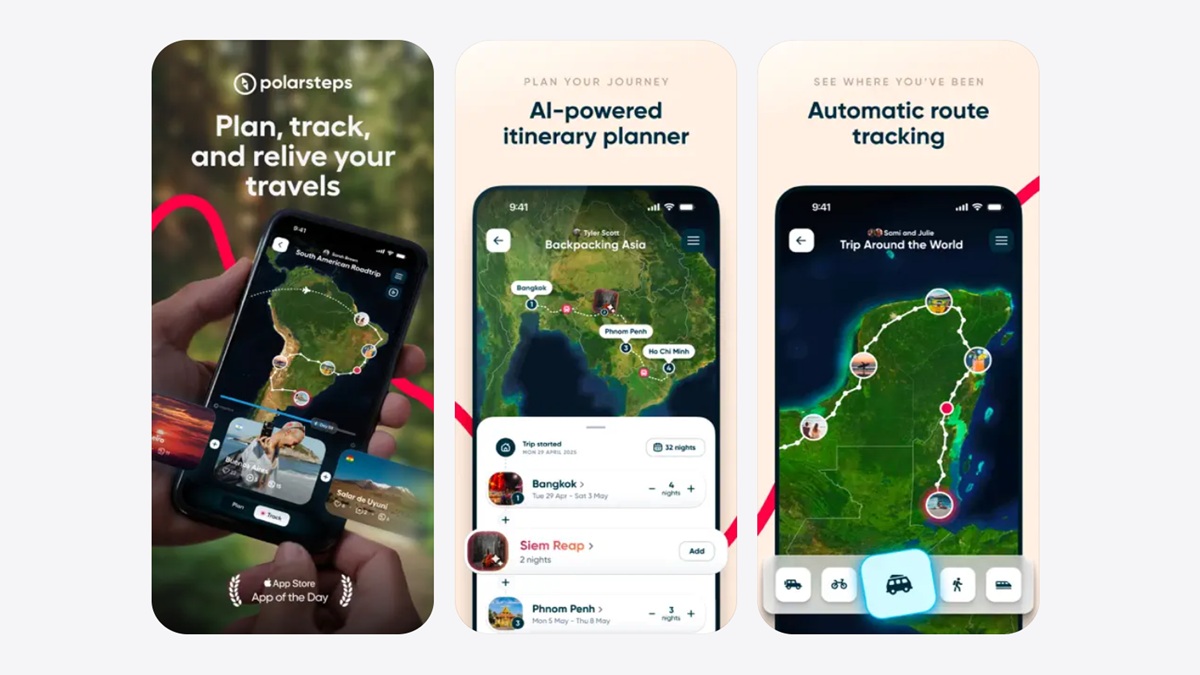
I am not an avid traveler; however, I love making itineraries and capturing different places on my phone whenever I am out with friends or family. It is how I was able to visit 20 countries in a couple of years and more. It gives me an adrenaline rush to see places I visited and more to join the wagon. Polarsteps is an app that works for travelers like you and me.

The app lets you create an itinerary based on certain goals or past trips. It creates a journal tracking all the places you are visiting, making it easier to keep everything organized so you can always refer to it. The app tracks route automation while putting them on a digital world map. You can share your trips with others or ask them to share theirs. There’s a travel stats feature that tells you how many countries you have visited and the distance covered. It is a powerhouse for travelers.

Download: Polarsteps

Obsidian

Category: Note-taking/ Productivity
Obsidian app
Image Credits: Obsidian, via App Store

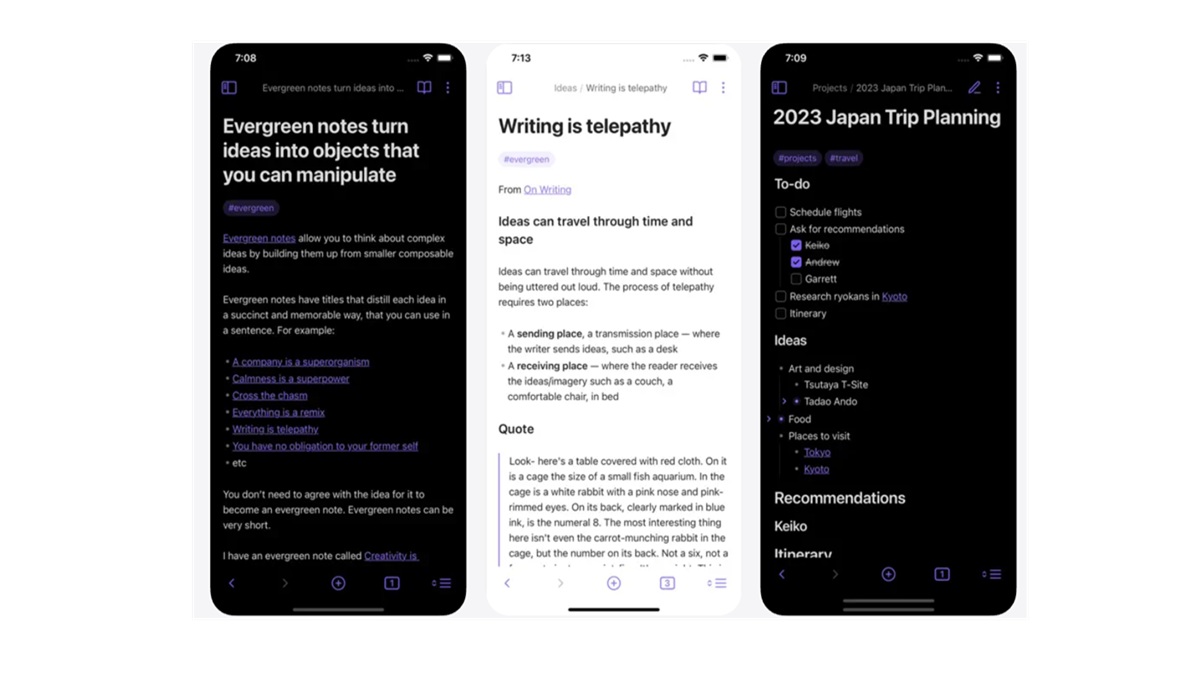
If you are looking for a powerful note-taking, productivity, and frill-free to-do app, Obsidian could be the one for you. With a clean interface, the app doesn’t feel overwhelming, which is great. The app features a customizable toolbar, a lot of themes, and iCloud and other cross-platform functionalities, which is great for those who keep using devices from different platforms.

I mean, I was able to point out everything from lecture notes at my college to meeting notes and beyond. Obsidian basically lets me do a lot without giving me too many options to choose from. 

Download: Obsidian

PopFrame

Category: Editing/Media
PopFrame
Image Credits: PopFrame, via App Store

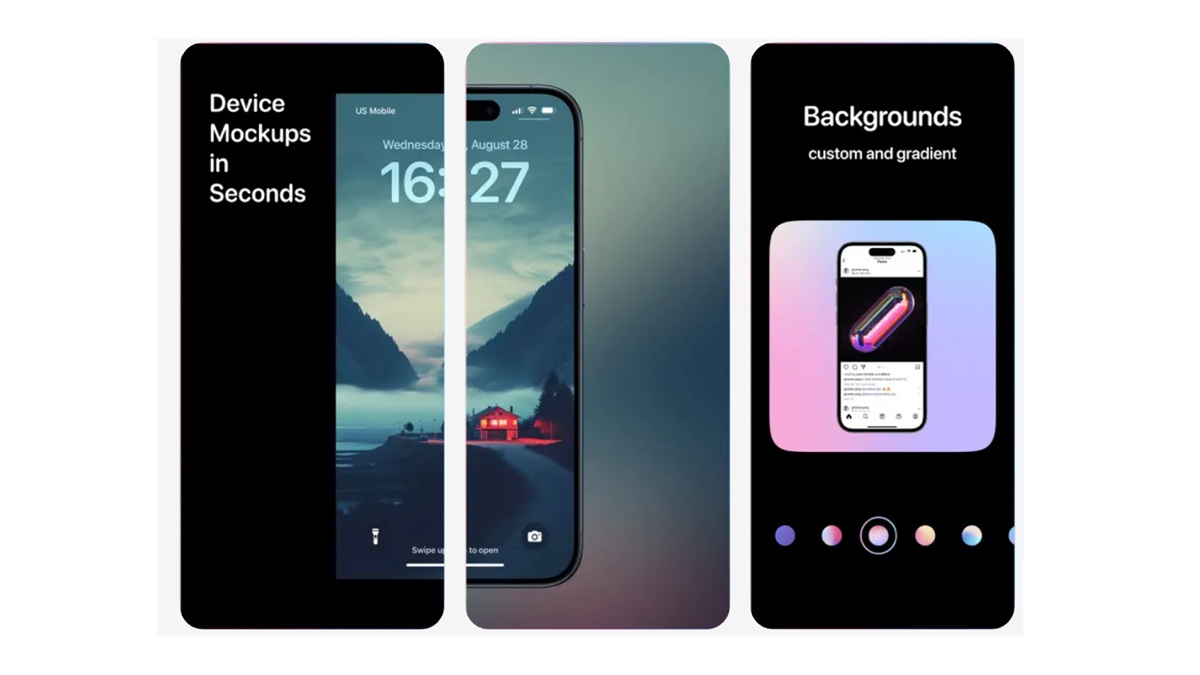
Screenshots and screen recordings are the reason why I am able to work for a tech publication. Well, simply taking a screenshot doesn’t help because it can be anything, and editing it takes time. With PopFrame, all that is a thing of the past. The app lets you convert your screenshots and recordings into a polished version, ready to be posted on YouTube, Twitter, Instagram, and you name it. 

PopFrame on iOS devices lets you create exports for social media or presentations. It lets you choose from various backgrounds and then add extra customization on top for a better shot. There’s the capability to export in multiple sizes. So, let’s give it a try.

Download: PopFrame

Wrapping up!

Well, we tried to stretch out our take on the 5 best iOS apps you must try in October 2026 to its extremities, i.e., five apps, but unfortunately, we ran out of numbers for this month. 

Let us know what app did make a dent in your iPhone—perhaps positively; maybe it was too great for use or something that solved one or many of your use cases, who knows. Stick around to find future iOS apps that we will discover by scouring through the depths of the App Store. 

Keep up with the tech that actually matters.

From breaking news to deep dives, TrueTech brings you the tech stories worth knowing.
Add us as a preferred source on Google Search for quicker access to our coverage.

Add TrueTech as a preferred source on Google
Share This Article
Follow:
A wordsmith, a kin tech observer, a sci-fi fanatic and a scientific documentary buff.
Highlights
  • Every month, we bring you our best picks of five iOS apps from across the categories.
  • With more than 2 million apps to choose from, it becomes a strenuous task to find and try a new app, apart from the ones you are already using.
  • Our picks for the month bring the best of productivity, utility, navigation, and note-taking, for your convenience.

Every day, I go to the Apple App Store hoping to find the best iOS apps for our monthly edition. Of course, with more than two million apps live on the platform, it is a strenuous task to find the ones you should be on the lookout for. 

Thankfully, we have an awesome team of editors and readers who point us to the best apps for iPhones to check out right across various categories, including AI, productivity, utility, budget tracker, navigation, adventure, you name it. Turns out you landed on this very page we call “best iOS apps” to check out in October 2026. 

5 best iOS apps you must try this month

Well, we introduce you to the best listicles you’ll ever find for apps chosen just to suit what you were looking for (or you could start looking for in the coming weeks or so).

OSMaps

Category: Outdoor Navigation/Maps

OSMaps
Image Credits: OSMaps, via App Store

Trust me when I say this: I am not an adventure guy unless you put me on a horse or a buggy to drive uphill, even if it’s Mt. Everest (wink*). But for those who love nature and adventure, I have OS Maps. One of the most accurate maps for outdoor activities for health enthusiasts and adventurers, OS Maps guides you through trails and places in the USA. 

Albeit limited to the US at the time of writing this, the app is great for hiking, biking, running, and more, thanks to the various map layers that you can set based on your type of activity. Community Alerts are enabled in the app, informing you of any obstructions, trail closures, or the like, which is great. You can use anything from your laptop to iPhone to Apple Watch for the directions; it’s as simple as that.

Download: OS Maps

Compass & GPS

Download: Navigation 

Compass & GPS
Image Credits: Compass & GPS, via App Store

Lost in a jungle? Or on-board a boat? Maybe stuck in the Himalayas or simply on a track uphill somewhere with no internet or sense of direction? Well, that’s where the compass app comes into the picture. Using the sensors on board, the app lets you determine your orientation and cardinal directions such as north, south, east, or west. 

The app works in any conditions during hiking, traveling, wandering, or when you can’t find your way back home. The app lets you share your location with others and plots you on a map so that you can find your way out. 

Download: Compass & GPS

Polarsteps

Category: Travel Tracker

PolarSteps - the best iOS apps to try in September 2026
Image Credits: PolarSteps, via App Store

I am not an avid traveler; however, I love making itineraries and capturing different places on my phone whenever I am out with friends or family. It is how I was able to visit 20 countries in a couple of years and more. It gives me an adrenaline rush to see places I visited and more to join the wagon. Polarsteps is an app that works for travelers like you and me.

The app lets you create an itinerary based on certain goals or past trips. It creates a journal tracking all the places you are visiting, making it easier to keep everything organized so you can always refer to it. The app tracks route automation while putting them on a digital world map. You can share your trips with others or ask them to share theirs. There’s a travel stats feature that tells you how many countries you have visited and the distance covered. It is a powerhouse for travelers.

Download: Polarsteps

Obsidian

Category: Note-taking/ Productivity

Obsidian app
Image Credits: Obsidian, via App Store

If you are looking for a powerful note-taking, productivity, and frill-free to-do app, Obsidian could be the one for you. With a clean interface, the app doesn’t feel overwhelming, which is great. The app features a customizable toolbar, a lot of themes, and iCloud and other cross-platform functionalities, which is great for those who keep using devices from different platforms.

I mean, I was able to point out everything from lecture notes at my college to meeting notes and beyond. Obsidian basically lets me do a lot without giving me too many options to choose from. 

Download: Obsidian

PopFrame

Category: Editing/Media

PopFrame
Image Credits: PopFrame, via App Store

Screenshots and screen recordings are the reason why I am able to work for a tech publication. Well, simply taking a screenshot doesn’t help because it can be anything, and editing it takes time. With PopFrame, all that is a thing of the past. The app lets you convert your screenshots and recordings into a polished version, ready to be posted on YouTube, Twitter, Instagram, and you name it. 

PopFrame on iOS devices lets you create exports for social media or presentations. It lets you choose from various backgrounds and then add extra customization on top for a better shot. There’s the capability to export in multiple sizes. So, let’s give it a try.

Download: PopFrame

Wrapping up!

Well, we tried to stretch out our take on the 5 best iOS apps you must try in October 2026 to its extremities, i.e., five apps, but unfortunately, we ran out of numbers for this month. 

Let us know what app did make a dent in your iPhone—perhaps positively; maybe it was too great for use or something that solved one or many of your use cases, who knows. Stick around to find future iOS apps that we will discover by scouring through the depths of the App Store. 

Keep up with the tech that actually matters.

From breaking news to deep dives, TrueTech brings you the tech stories worth knowing.
Add us as a preferred source on Google Search for quicker access to our coverage.

Add TrueTech as a preferred source on Google
Share This Article
Follow:
A wordsmith, a kin tech observer, a sci-fi fanatic and a scientific documentary buff.