OnePlus 15 begins receiving stable ColorOS 17 update in India

Jeeva Shanmugam
5 Min Read
Highlights
  • The flagship OnePlus 15 receives the stable update ahead of its planned October 29 release.
  • Indian users are getting the initial build right now, with other regions expected soon.
  • Packed with a refreshed visual interface, better memory management, and new AI-driven tools.

In July when OnePlus announced that all eligible devices globally would migrate from OxygenOS to ColorOS with the launch of Android 17, a lot of people in the tech circle were curious about how well the migration would pan out. Well, today, we get to see some tangible actions being undertaken on the plan.

The premium OnePlus 15 has started receiving its ColorOS 17 stable update. In case you have the India-specific variant, expect the update to be rolled out for you in the current build version CPH2745_17.0.0.102(EX01). Let me break down the story.

OnePlus 15 gets stable ColorOS 17 update ahead of schedule

As anyone who has been keeping track of OnePlus’s roadmap will know, the original plan had October 29 as the release date. It is always nice to see any kind of major operating system update being released early, which is rare in the smartphone world.
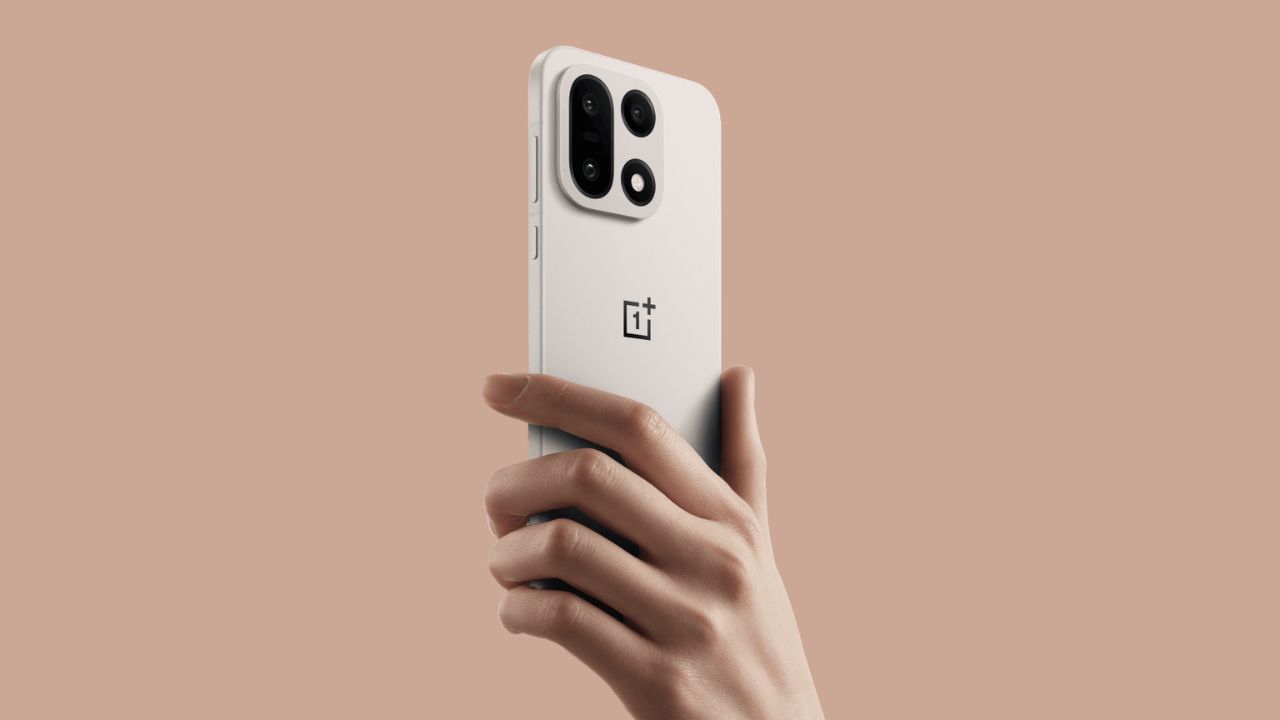
OnePlus 15 begins receiving stable ColorOS 17 update in India
Image Credits: OnePlus

Based on what country the update originates from, the size of the update is very different. This depends greatly on whether or not you’ve been using a pre-release test version. If this is the case, then it’s a relatively small 525MB OTA. Otherwise, the full system package is more than 3.4GB, which isn’t small at all.

Although Indian consumers are getting their first taste, OnePlus has not made any mention of specific dates for rollout in North America or Europe. However, the regional rollouts are generally used by companies as a final stage of testing before global rollouts soon follow.

What actually changes under the hood?

ColorOS 17 goes beyond being another skin update; it revolutionizes the system’s resource management and interface display. The standout visual feature here is the Living Flow Design that the software developers have implemented into the new update.

Instead of abrupt transitions, the design now features light animations and dynamic responses to touch gestures. This will become obvious when you see it on the new lock screen, the newly designed quick settings menu, and the notifications panel.

The following layer is composed of the Luminous Rendering Engine alongside the Adaptive Scheduling Architecture. In simple words, it guarantees stable FPS and no systemic UI stutters in case your RAM is crowded by the background processes.

Smart features and security features

With the new update, it goes further into integrating its AI features, which help in convenience and device security:

  • Mind Pilot Agent Mode: Enables the system assistant to carry out complicated workflows without any supervision, such as cleaning up messy photo galleries or categorizing documents.
  • OSee AI Vision & Translation: Features real-time visual scan and system translation, along with fast context matching depending upon what is shown on your screen.
  • Communication Security: Consists of AI-based Face Swap detection for video calling, along with Synthetic Voice recognition for catching scammers on the phone in real time.
  • Multiple Apps Audio at Once: Addresses the longstanding problem of Android whereby playing audio in one application forces another to silence its background audio playback.

How to get the update?

Should the update not appear on your device yet, you can manually download it by navigating to Settings -> System & Update -> Software Update. Should it not appear right away, pressing the three dots on top right and then going to Beta/Release Candidate should allow you to manually download the server build.

We will continue to track user responses as more users receive the update, and we will post our impressions shortly after testing the build. Let me know your thoughts in the comment section. What do you think?

Keep up with the tech that actually matters.

From breaking news to deep dives, TrueTech brings you the tech stories worth knowing.
Add us as a preferred source on Google Search for quicker access to our coverage.
Add TrueTech as a preferred source on Google
Share This Article
Making spicy content on the Internet!
Highlights
  • The flagship OnePlus 15 receives the stable update ahead of its planned October 29 release.
  • Indian users are getting the initial build right now, with other regions expected soon.
  • Packed with a refreshed visual interface, better memory management, and new AI-driven tools.

In July when OnePlus announced that all eligible devices globally would migrate from OxygenOS to ColorOS with the launch of Android 17, a lot of people in the tech circle were curious about how well the migration would pan out. Well, today, we get to see some tangible actions being undertaken on the plan.

The premium OnePlus 15 has started receiving its ColorOS 17 stable update. In case you have the India-specific variant, expect the update to be rolled out for you in the current build version CPH2745_17.0.0.102(EX01). Let me break down the story.

OnePlus 15 gets stable ColorOS 17 update ahead of schedule

As anyone who has been keeping track of OnePlus’s roadmap will know, the original plan had October 29 as the release date. It is always nice to see any kind of major operating system update being released early, which is rare in the smartphone world.

OnePlus 15 begins receiving stable ColorOS 17 update in India
Image Credits: OnePlus

Based on what country the update originates from, the size of the update is very different. This depends greatly on whether or not you’ve been using a pre-release test version. If this is the case, then it’s a relatively small 525MB OTA. Otherwise, the full system package is more than 3.4GB, which isn’t small at all.

Although Indian consumers are getting their first taste, OnePlus has not made any mention of specific dates for rollout in North America or Europe. However, the regional rollouts are generally used by companies as a final stage of testing before global rollouts soon follow.

What actually changes under the hood?

ColorOS 17 goes beyond being another skin update; it revolutionizes the system’s resource management and interface display. The standout visual feature here is the Living Flow Design that the software developers have implemented into the new update.

Instead of abrupt transitions, the design now features light animations and dynamic responses to touch gestures. This will become obvious when you see it on the new lock screen, the newly designed quick settings menu, and the notifications panel.

The following layer is composed of the Luminous Rendering Engine alongside the Adaptive Scheduling Architecture. In simple words, it guarantees stable FPS and no systemic UI stutters in case your RAM is crowded by the background processes.

Smart features and security features

With the new update, it goes further into integrating its AI features, which help in convenience and device security:

  • Mind Pilot Agent Mode: Enables the system assistant to carry out complicated workflows without any supervision, such as cleaning up messy photo galleries or categorizing documents.
  • OSee AI Vision & Translation: Features real-time visual scan and system translation, along with fast context matching depending upon what is shown on your screen.
  • Communication Security: Consists of AI-based Face Swap detection for video calling, along with Synthetic Voice recognition for catching scammers on the phone in real time.
  • Multiple Apps Audio at Once: Addresses the longstanding problem of Android whereby playing audio in one application forces another to silence its background audio playback.

How to get the update?

Should the update not appear on your device yet, you can manually download it by navigating to Settings -> System & Update -> Software Update. Should it not appear right away, pressing the three dots on top right and then going to Beta/Release Candidate should allow you to manually download the server build.

We will continue to track user responses as more users receive the update, and we will post our impressions shortly after testing the build. Let me know your thoughts in the comment section. What do you think?

Keep up with the tech that actually matters.

From breaking news to deep dives, TrueTech brings you the tech stories worth knowing.
Add us as a preferred source on Google Search for quicker access to our coverage.

Add TrueTech as a preferred source on Google
Share This Article
Making spicy content on the Internet!