What a month has it been, November 2016? TrueTech completed two years, and me, I finished up with my high school forever! This fantastic month is soon to end, which implies it’s time for this month’s Top 5 Android Apps. Here are our picks for November 2016.
1) Arrow Launcher
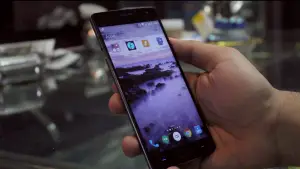
Developed by Microsoft, Arrow launcher delivers best-in-class performance and is one of the fluid-est launchers available on the Google Play store. The launcher has a snappy performance and comes aboard with flawlessly integrated features and supported widgets. What we love the launcher for is the exquisite design- every screen revamps into Gaussian blur effect, along with the translucent and eye-candy minimal transitions provide a breathtaking and minimalistic experience overall.
Furthermore, there are quite a few nifty features such as multiple customizable screens that adapt to the natural design to displays your recent contacts, apps, reminders, notifications from specific apps and much more. There’s one more interesting feature: the power saver mode. As soon as your phone is 85% sucked out of juice, it turns off the blur effects, and transitions conserve battery. Here comes the catch, though, even if your phone is back to a 100%, the transitions and blur effects don’t return, a fresh restart is required. But, that’s a very tiny issue compared to the overall package.
2) & 3) Adobe Lightroom and Lidow
Adobe Lightroom
This photo editing app is one of the best apps available for on-the-go smartphone shutterbugs. The app features a plethora of filters that can be customized to your taste using a simple slider provided, which lets you adjust the impact of the filter on the original image. Besides that, the app also features a vast variety of adjustment layers such as brightness and contrast controls, structure, noise, fade, sharpness, vignette, tint variation, crop/straighten, and plenty more. They together provide a semi-professional photo editing experience which helps you produce a rocking image to share on Social Media.
Lidow
Serving a similar purpose, Lidow extends the capabilities by embedding fun photo-editing features like stickers, premade text templates, mirror effects and shadowed blur effect. Again, Lidow provides a semi-professional editing experience and helps to produce a better image to share on social media, rather than the original one.
My only complaint with both of these apps is that they occasionally lag, certain times they end up quitting midst the editing process, and you’ll have to repeat the whole process. But a small app update can fix that quickly.
4) FontOver
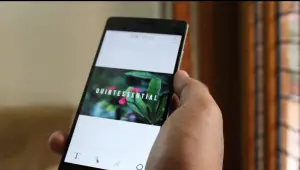
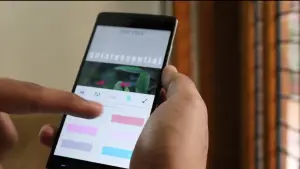
FontOver is the perfect application to beautify your photos by putting text over it. FontOver includes a plenitude of pre-rendered text templates with custom designs (associated with festivals/special occasions) that make half the process easy. But, if you’re like me, you would rather prefer going head-on from scratch.
FontOver lets you seamlessly customize each and every aspect of your text – size and spacing between the character, opacity of the text and the background, the shadow location and the size of the text, a variety of outlines and a plethora more. The list is super long! The editing features it provides as close as it gets to being professional.
However, the app did lag on our trials. To give it a rating, it performed seamlessly eight times out of ten, which is not a bad score either.
5) Sprightly
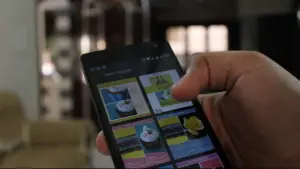
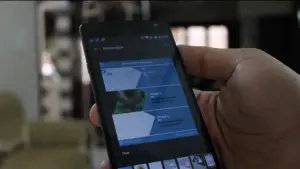
Sprightly, another app directly from Microsoft’s studio providing a flawless experience to convert your photos into a collage, flyer or poster, only using your smartphone. The app features a wide variety of templates based on what you desire to design. Talking about the usability and the performance is quite straightforward and agile to operate: select your photos, select a template, and voila, your poster is ready!
While maneuvering, the app does save any template you leave half-done to your gallery, which is a decent feature. But we don’t like it as much, trying a little collage, which doesn’t turn out right, also makes its way to your gallery, consequently occupying space. Besides that, the final result also has a Sprightly branding, meh, a bummer!
That were our picks for Top 5 Android Apps – November 2016. Do let us know your favorite apps or potential apps for this series in the comment section below. If you want to see a Top 5 iOS apps video/article too, do share and like the above-mentioned video. If this article receives a decent amount of shares or if the video gets 45 likes before December, we’ll make a special video for Top 5 iOS apps as well.