- Check out the five best iOS apps you must check out for July 2026.
- Just like every month, we bring five of the most underrated or undiscovered gems from the expanse of the App Store.
- These apps are often left in the shadow because only a handful of apps takes on the majority of the stake on Apple's largest marketplace.
Well, if you are looking for a listicle on the best iOS apps in July 2026, you just got to the right page. Every month, we come up with our take on the best iOS apps you should be trying, whether it’s one you’ve never heard of, something new to the App Store, or simply the apps that are lost and forgotten in the wake of millions of apps you would find on the marketplace.
5 best iOS apps in July 2026
Well, here’s our countdown for the 5 best apps for iPhones (and iPads) that you should really consider.
Converty
Category: Utility / File Conversion
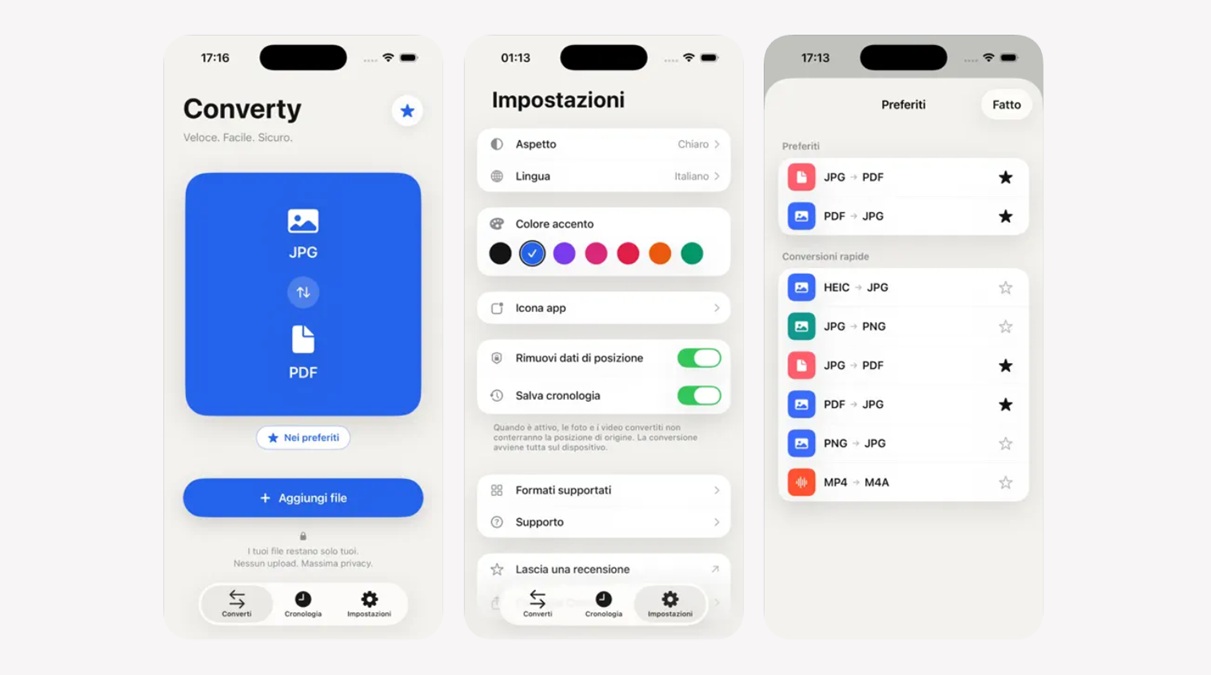
Instead of relying on the web every time you want to convert a file from one format to another, Converty does that for you. The app brings ease to conversion from PDFs to PNGs to videos to audio and more. Although the app currently has limited supported file formats, it is 100% offline, free of cost, no subscriptions, no accounts needed, and no ads at all.
Converty supports batch conversions, lets you merge multiple files, and exports to everyday use. The app is available in 13 languages, which ensures users from all corners of the globe can utilize its capabilities. The super-friendly interface lets you convert on the fly and keeps everything private.
Download: Converty
Pretty Progress
Category: Progress tracker
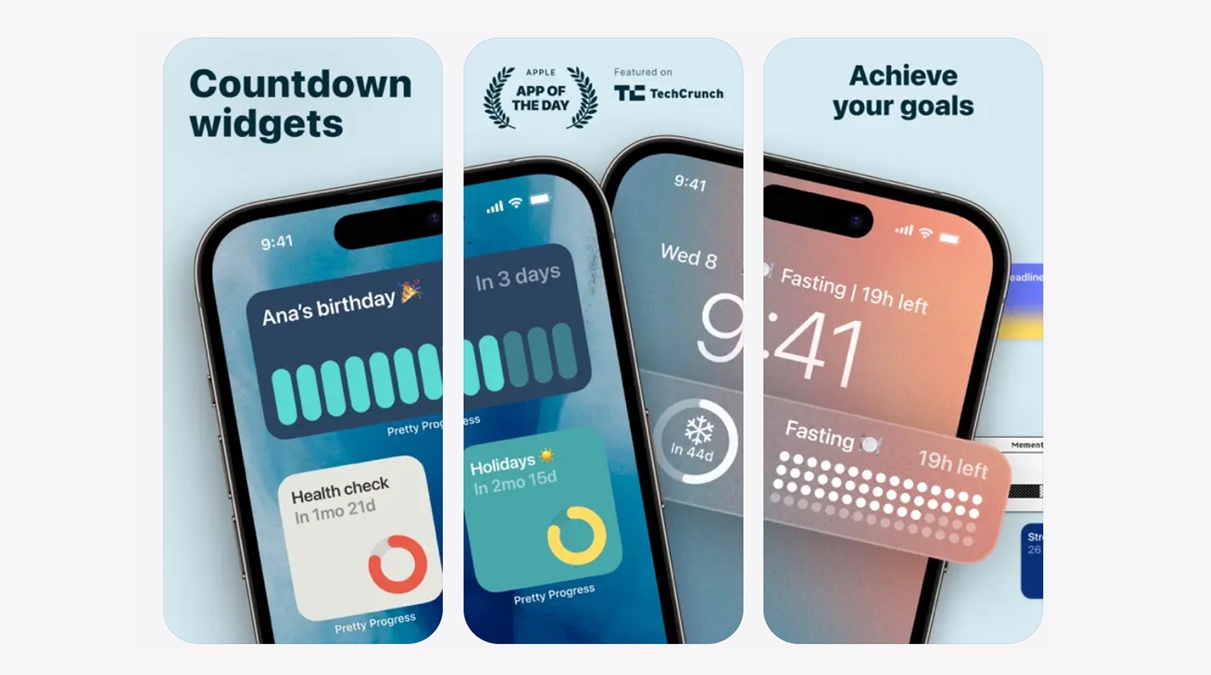
You know what the easiest thing to do in life is? Make a goal. What about far easier? Well, losing track of it, procrastinating, or simply letting it slip away. Pretty Progress is a great countdown app that brings the ability to keep a tag on goals, aka progress, in a widget on your home screen.
From setting up an event to customizing the look and feel, utilizing templates, or setting up recurrent and time-sensitive or periodic events, Pretty Progress lets you keep an eye on how long it is to go before you achieve a goal. For instance, my goal on True-Tech would be to gain 100K subscribers by the end of this year, and then I can set up a timer till December 31 that counts down the days left before it goes off. You can utilize it for health, fitness, birthdays, newborn arrival, deadlines for submission, and hundreds of others.
Download: Pretty Progress
mymind
Category: Utility
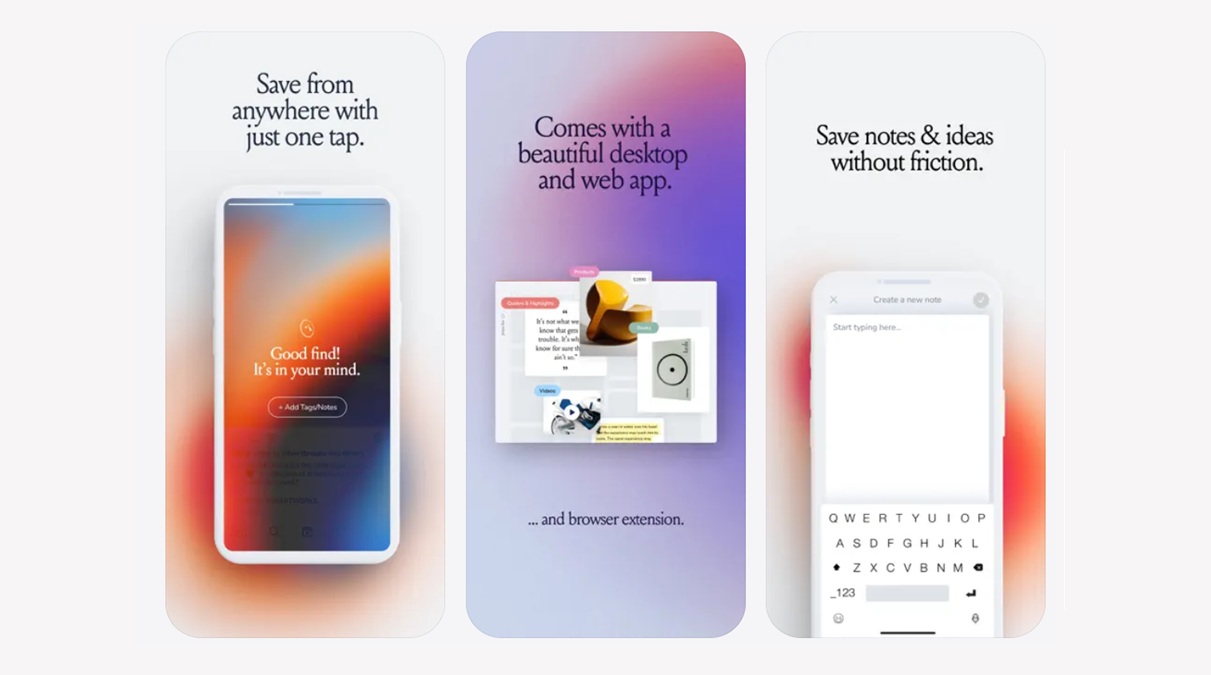
Your brain is ultimately one of the most powerful computers in the world. It stores and processes up to 76 gigabytes of data every day. Your brain stores things in RAM and ROM-type format, discarding unwanted information. mymind takes a bit of the load off your mind, helping you save notes, articles, images, text, recipes, movies, products, and, in fact, anything you wish and want from across the expanse of the internet.
Now that you have done the difficult part, all you need is the ability to recall it, right? mymind lets you find everything in a single place, whether you have named the file or not or whether there’s a label or tag to it or not; mymind finds it for you. Say, you want to find an interior for a bathroom, and the app will pop up everything that you have saved when it comes to bathrooms and interiors. In fact, the AI works into overdrive to find what may be loosely related so that you have enough references to lead. It is a magical space that lets you save and recall stuff from apps, all at your fingertips.
Download: mymind

FocusPomo
Category: Focus/Concentration/Productivity
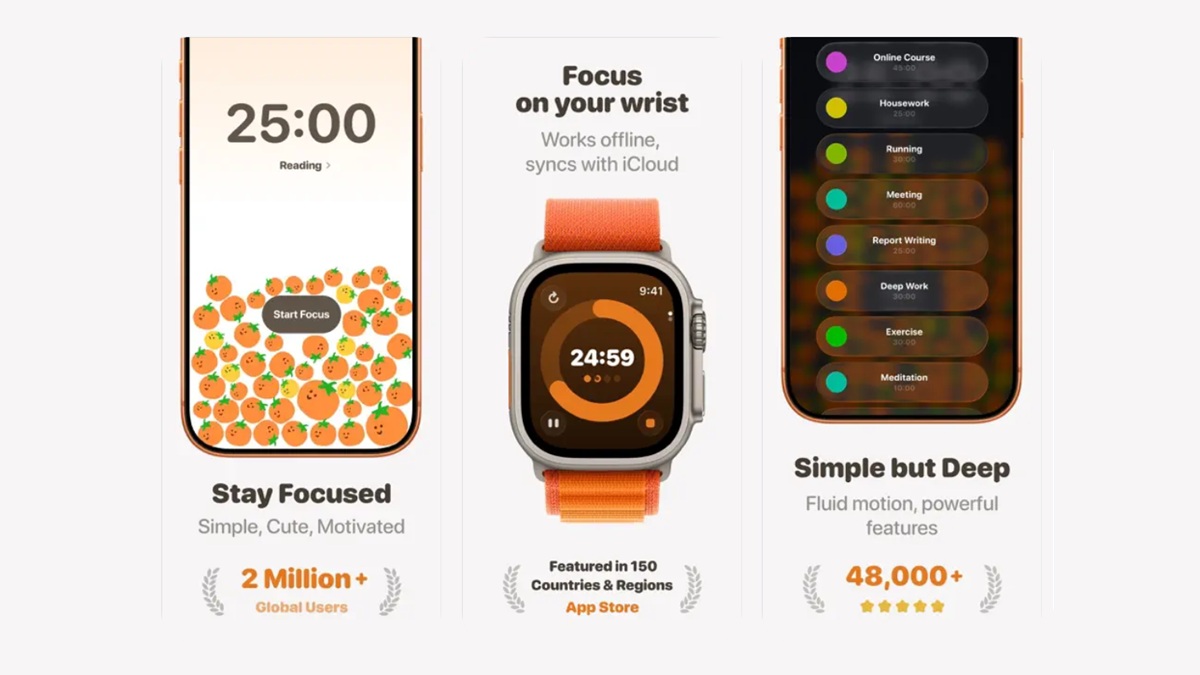
If you are anything like me, you’d know how procrastination kicks in every time you wish to do something. Maybe there’s a sales proposal that needs to be sent, or maybe a client is expecting approval on a quote he asked for; it could be something as simple as your next class online, and it requires focus.
With Focuspomo, you work towards one goal—to do a task in a Pomodoro-based fashion. It means concentrating on the work and nothing else for, say, 20 minutes and then taking a breath, figuratively. The app works on the Pomodoro technique, instilling a sense of accountability in doing what you want to do without delay or distraction. The app has powerful focus statistics that track your insights and give you what you should be reading to improve the next time you set it off.
Download: Focuspomo
Usage
Category: Utility
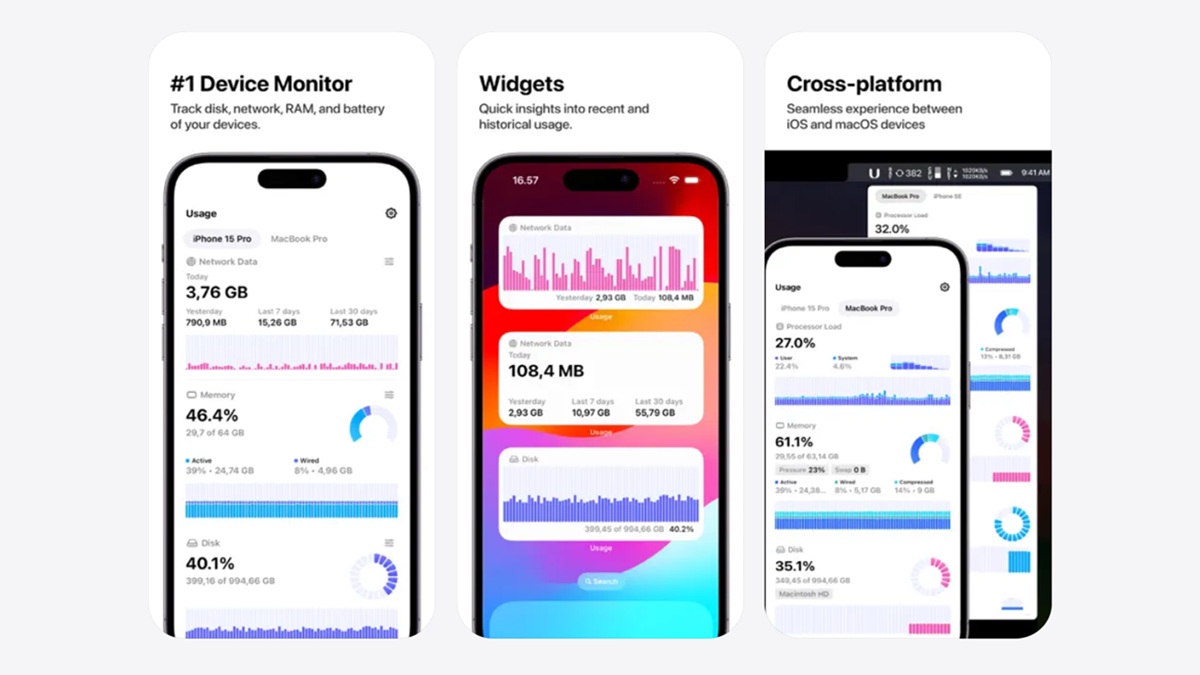
You are buying a new (or a second-hand) smartphone, which means it is critical to know what the phone packs in, right? Usage is an app that brings performance on each of the iPhone’s hardware at a glance. It tracks network activity, battery health, processor load, RAM performance, Bluetooth devices connected to it, and so on. What’s best about Usage is its impressively simple yet intuitive visual layout that puts everything you need to know about your phone right in front of you.
The app brings battery insights on board, which is by far one of the major deciding factors, especially when you are trying to buy a used/refurbished phone.
Download: Usage
Wrapping up!
That’s the end of our take on the 5 best iOS apps you must try this month. Of course, we will bring future iterations with more of these hidden and underrated gems for our readers. You can check out our previous listicles of best iOS apps here.
Keep up with the tech that actually matters.
Add us as a preferred source on Google Search for quicker access to our coverage.