5 best iOS apps to try in November 2026

Aadil Raval
7 Min Read
Highlights
  • Your App Store has more potentially useful apps than you can think of.
  • Amid millions of apps on the App Store, here are our picks for the best five you should check out.
  • From counting down our picks for a photo cleaner to a focsu

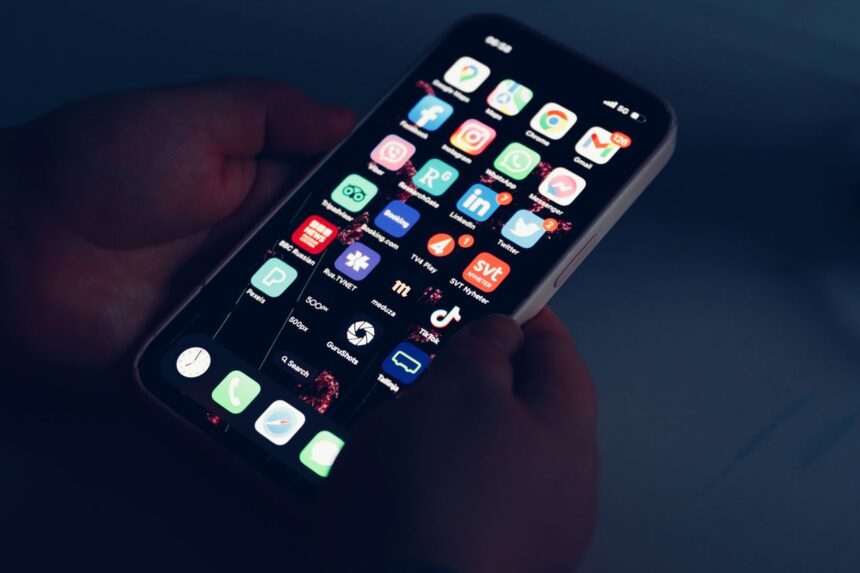
Keeping up with the latest and underrated apps is hard. I mean, I have been plotting the best iOS apps every month for a couple of years, and it still feels like I have only scratched the surface. More apps join the App Store than you can comprehend, making it extremely difficult to find the ones that can find a place in your app drawer. 

5 best iOS apps to try this month

With our take for November 2026, here’s our pick for the best five iOS apps you must check out.

DualShot

Category: Camera
DualShot
Image Credits: DualShot, via App Store

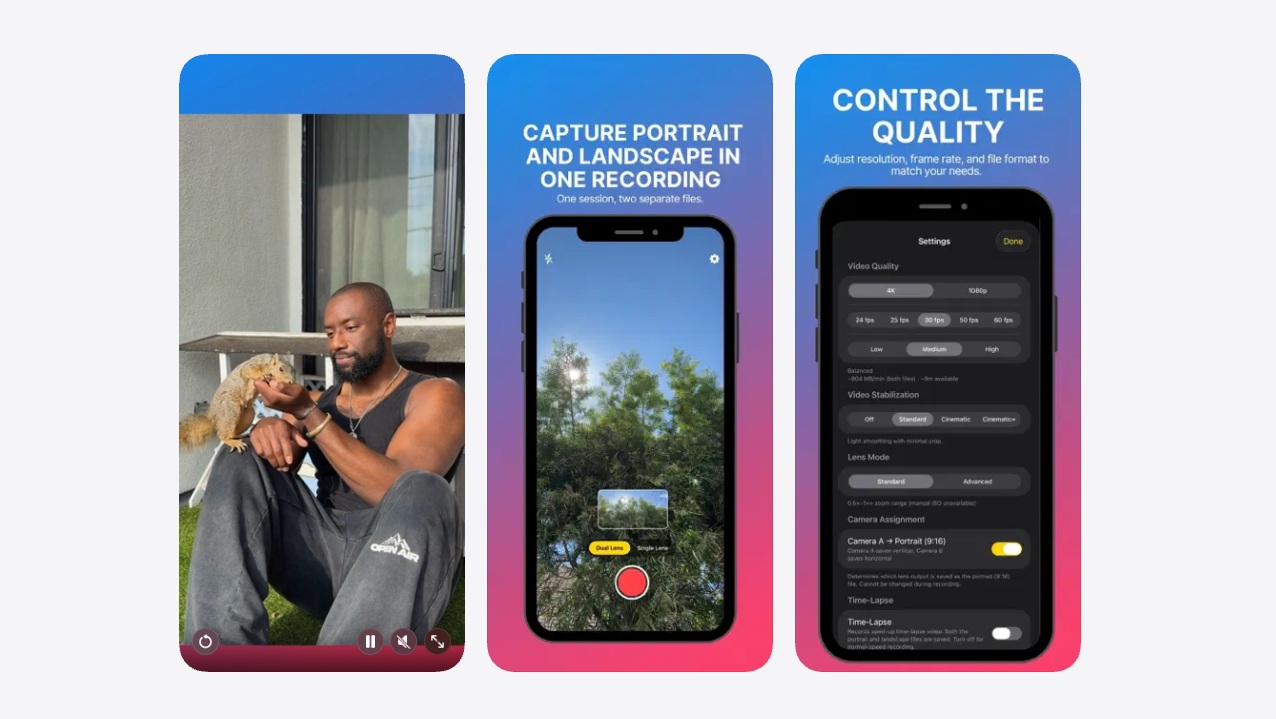
If you are into content creation or love shooting videos, this is an app for you. DualShot lets you record videos in both vertical and horizontal orientations, all at once. Both videos are shot simultaneously, which means you can end up using either or both as you like. The app can record video feeds using both the front and back cameras, 4K at 60fps, multiple video formats, manual ISO control, autofocus controls, and more. The app has video stabilization with a final-crop preview as well that ensures the final results are up to the point and thus eliminates reshoots.

Download: DualShot

Ripples

Category: Productivity / Habit Tracker
Ripples App Store
Image Credits: Ripples, via App Store

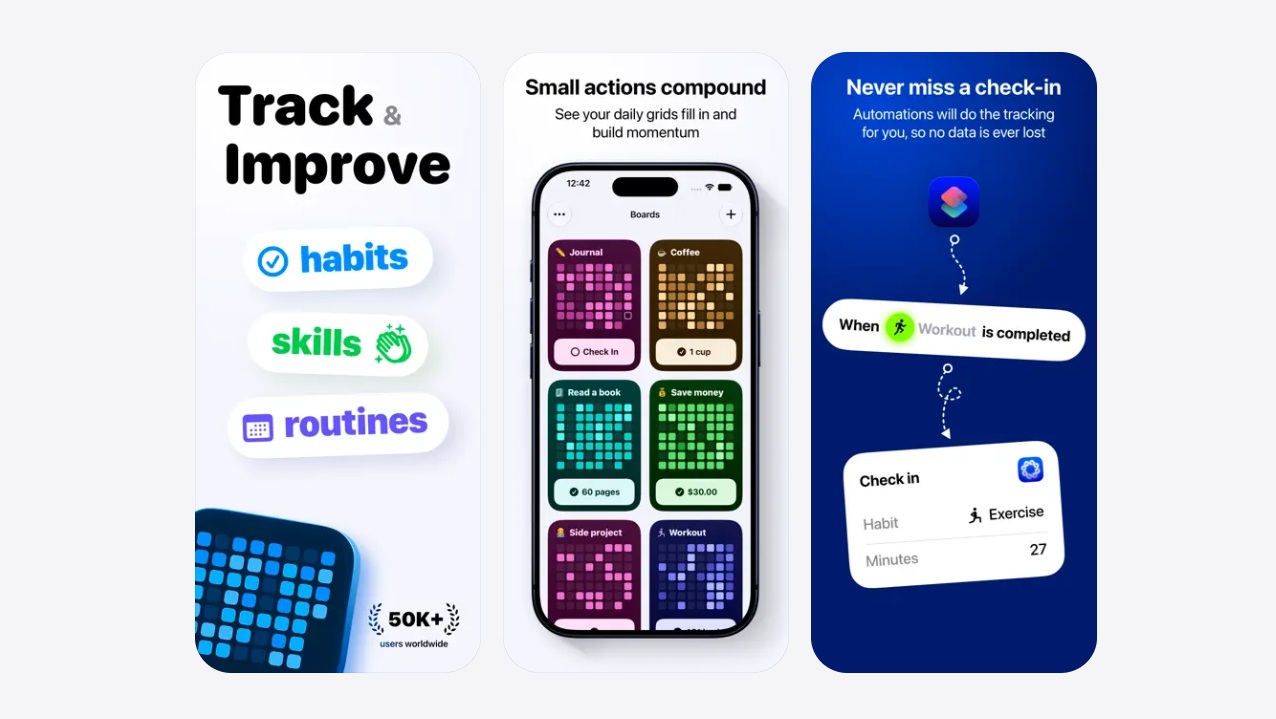
Building a habit is not easy. This is especially true when there’s procrastination and lost motivation, as playing a major role is preventing a good habit from growing. I am the type who loves to track what I am doing, and it also gives me a bit of motivation. Ripples is one app that understands this and lets users track habits in patterns. Whether it’s saving a penny every day, working out from cycling for fitness to weaving your favorite brochets to reading a piece of your favorite novel, Ripples is everywhere. 

The app lets you check off activities in grids, making it easier to see which days you missed. Private by design, the app tracks everything you do, building up habits and syncing with your devices so that you have access to it everywhere you go. The app is a low-to-no-friction interactive interface, making it easier to keep tracking and keep building.

Download: Ripples

Neend

Category: Meditation 
Neend App Store
Image Credits: Neend, via App Store

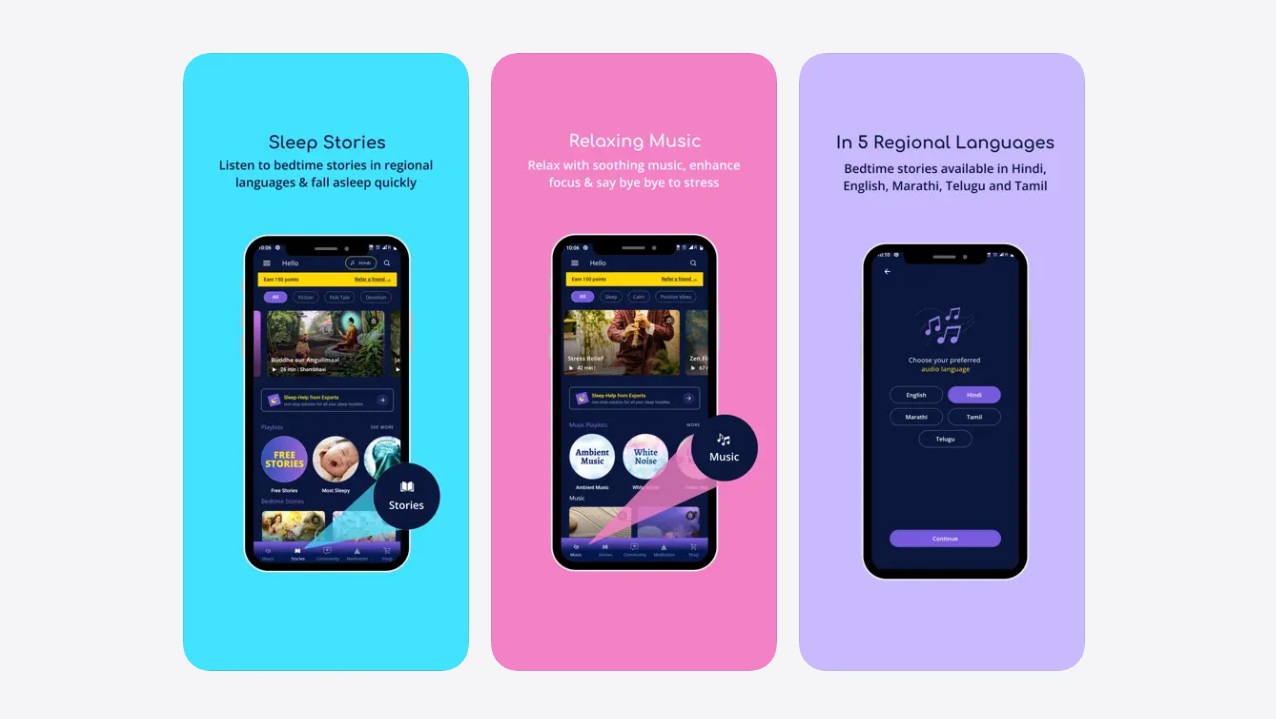
I came across this app on the App Store that helps you meditate and relax. This is a purely Indian app that supports five major languages, including English, Hindi, Marathi, Tamil, and Telugu. The app features bedtime stories that you or your loved ones can engage with, or dive into pure divinity with relaxing sleep music. 

The app is free to use, with hints towards better sleep quality as per users. The ASMR white noise and relaxing music relax your nerves, which ensures you get a good night’s sleep—something we take for granted. Neend features 100+ bedtime stories, guided meditation, breathing exercises, motivation messages that boost positivity, and more.

Download: Neend

Swipe Cleaner

Category: Utility
Swipe Cleaner App Store
Image Credits: Swipe Cleaner, via App Store

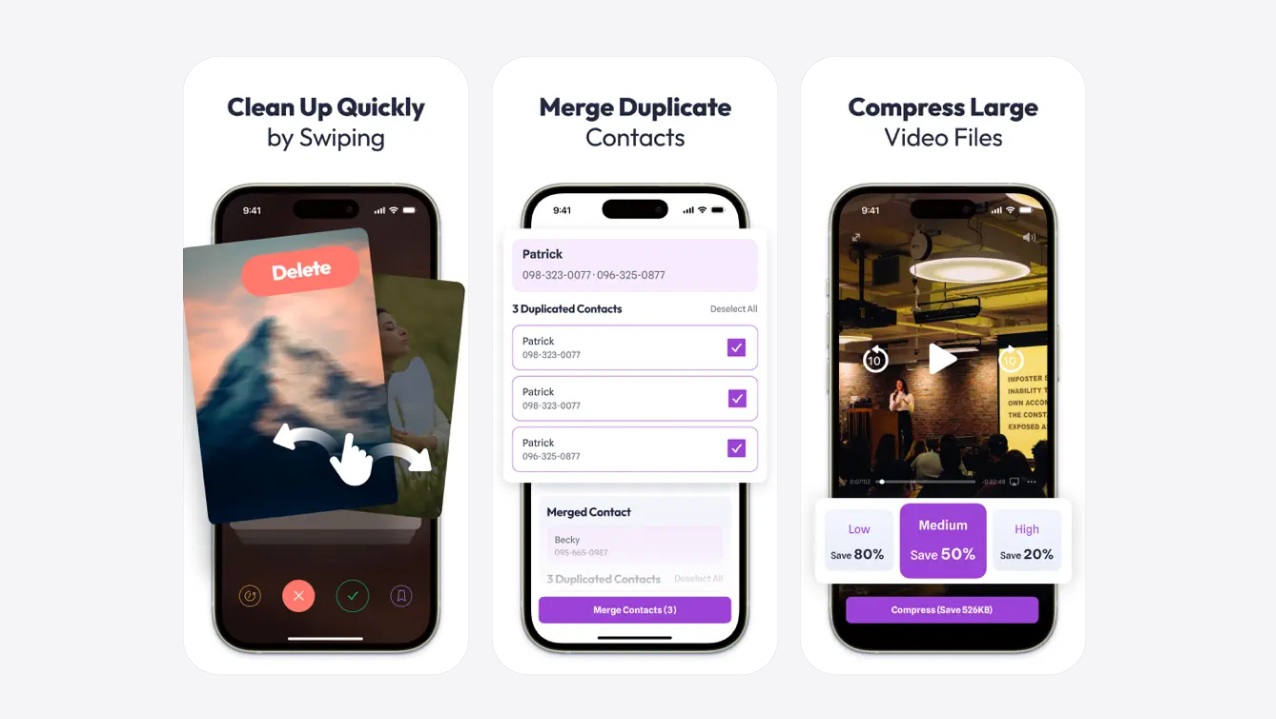
I take pictures and videos every time I see something worth remembering; however, it is dreadful when I run out of space or have too many similar, duplicate, or blurry photos, so much so that I check my gallery every other day to get rid of them. But trust me, this is annoying. Only if there were an app that I could use to gently but speedily clear my gallery of unwanted photos. 

Swipe in a cleaner app that straps you with the same power. Simply launch your gallery, view photos one after another, swipe to delete, or swipe. The app essentially gamifies the approach, making it much easier to get rid of unwanted junk. The app works on both photos and videos, and you can also use AI to assist. It does sound easy and fun now, right? Give it a try.

Download: Swipe Cleaner

FocusFlight

Category: Focus / Productivity
FocusFlight App Store
Image Credits: FocusFlight, via App Store

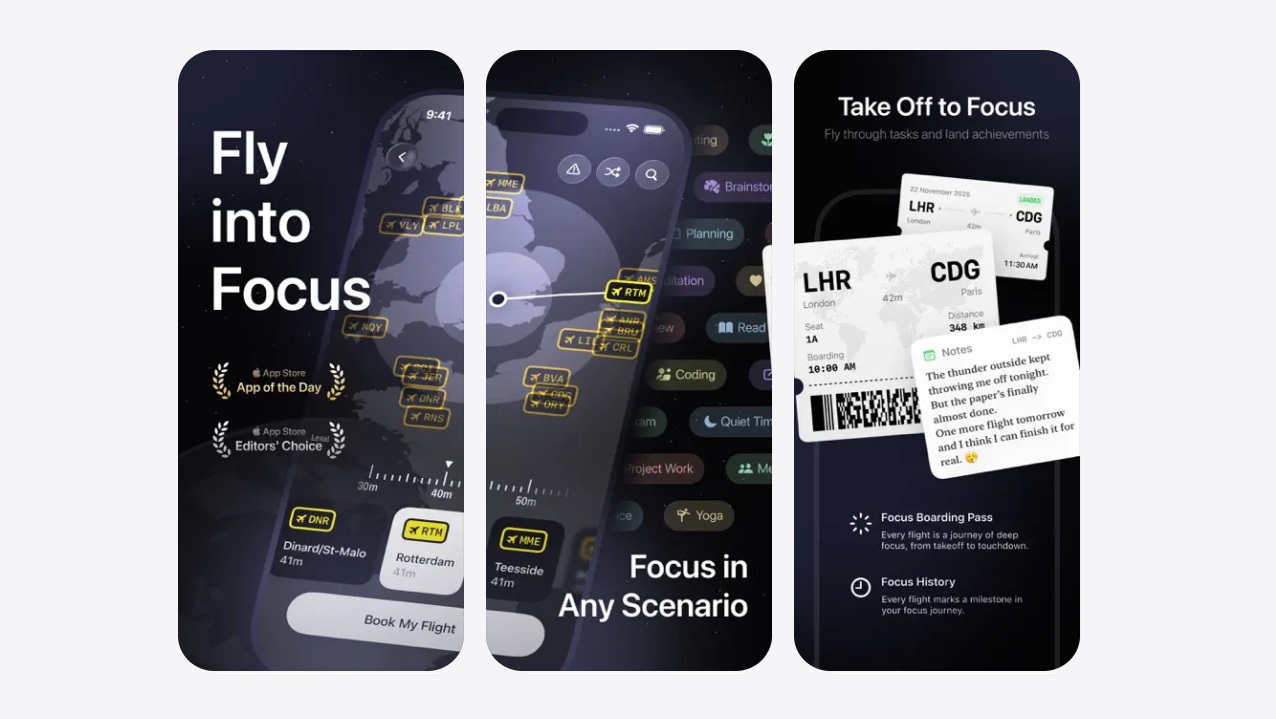
Our phones are filled with countless apps, pings, and notifications, which means getting distracted is a sure thing. Amid numerous focus apps, what if I told you there’s an app that helps you concentrate on a task while getting amused by what you get to see? 

FocusFlight is taking task focus to the next level. You set out on a journey from ‘Source’ to ‘Destination’ on a flight complete with the ‘nth’ of the details. Think about a 3D satellite view where your plane takes off, cruises, and lands as you complete a task, creating a mesmerizing view. No more ads, no notifications, and no fluff, which makes it easier to focus on a task. The app brings a complete timeline of your plane’s whereabouts, a random route selector, a 3D satellite view, and different perspective views to enjoy. 

Download: FocusFlight 

Conclusion

And with that, we conclude our take on the five best iOS apps you must try. Of course, you might like a few and hate a few, but the goal is to introduce newer apps to your app drawer so that your iPhone is lively as ever. Check out another listicle on iOS apps here on True-Tech to get a few more doses of pretty useful apps out there.

Keep up with the tech that actually matters.

From breaking news to deep dives, TrueTech brings you the tech stories worth knowing.
Add us as a preferred source on Google Search for quicker access to our coverage.

Add TrueTech as a preferred source on Google
Share This Article
Follow:
A wordsmith, a kin tech observer, a sci-fi fanatic and a scientific documentary buff.
Highlights
  • Your App Store has more potentially useful apps than you can think of.
  • Amid millions of apps on the App Store, here are our picks for the best five you should check out.
  • From counting down our picks for a photo cleaner to a focsu

Keeping up with the latest and underrated apps is hard. I mean, I have been plotting the best iOS apps every month for a couple of years, and it still feels like I have only scratched the surface. More apps join the App Store than you can comprehend, making it extremely difficult to find the ones that can find a place in your app drawer. 

5 best iOS apps to try this month

With our take for November 2026, here’s our pick for the best five iOS apps you must check out.

DualShot

Category: Camera

DualShot
Image Credits: DualShot, via App Store

If you are into content creation or love shooting videos, this is an app for you. DualShot lets you record videos in both vertical and horizontal orientations, all at once. Both videos are shot simultaneously, which means you can end up using either or both as you like. The app can record video feeds using both the front and back cameras, 4K at 60fps, multiple video formats, manual ISO control, autofocus controls, and more. The app has video stabilization with a final-crop preview as well that ensures the final results are up to the point and thus eliminates reshoots.

Download: DualShot

Ripples

Category: Productivity / Habit Tracker

Ripples App Store
Image Credits: Ripples, via App Store

Building a habit is not easy. This is especially true when there’s procrastination and lost motivation, as playing a major role is preventing a good habit from growing. I am the type who loves to track what I am doing, and it also gives me a bit of motivation. Ripples is one app that understands this and lets users track habits in patterns. Whether it’s saving a penny every day, working out from cycling for fitness to weaving your favorite brochets to reading a piece of your favorite novel, Ripples is everywhere. 

The app lets you check off activities in grids, making it easier to see which days you missed. Private by design, the app tracks everything you do, building up habits and syncing with your devices so that you have access to it everywhere you go. The app is a low-to-no-friction interactive interface, making it easier to keep tracking and keep building.

Download: Ripples

Neend

Category: Meditation 

Neend App Store
Image Credits: Neend, via App Store

I came across this app on the App Store that helps you meditate and relax. This is a purely Indian app that supports five major languages, including English, Hindi, Marathi, Tamil, and Telugu. The app features bedtime stories that you or your loved ones can engage with, or dive into pure divinity with relaxing sleep music. 

The app is free to use, with hints towards better sleep quality as per users. The ASMR white noise and relaxing music relax your nerves, which ensures you get a good night’s sleep—something we take for granted. Neend features 100+ bedtime stories, guided meditation, breathing exercises, motivation messages that boost positivity, and more.

Download: Neend

Swipe Cleaner

Category: Utility

Swipe Cleaner App Store
Image Credits: Swipe Cleaner, via App Store

I take pictures and videos every time I see something worth remembering; however, it is dreadful when I run out of space or have too many similar, duplicate, or blurry photos, so much so that I check my gallery every other day to get rid of them. But trust me, this is annoying. Only if there were an app that I could use to gently but speedily clear my gallery of unwanted photos. 

Swipe in a cleaner app that straps you with the same power. Simply launch your gallery, view photos one after another, swipe to delete, or swipe. The app essentially gamifies the approach, making it much easier to get rid of unwanted junk. The app works on both photos and videos, and you can also use AI to assist. It does sound easy and fun now, right? Give it a try.

Download: Swipe Cleaner

FocusFlight

Category: Focus / Productivity

FocusFlight App Store
Image Credits: FocusFlight, via App Store

Our phones are filled with countless apps, pings, and notifications, which means getting distracted is a sure thing. Amid numerous focus apps, what if I told you there’s an app that helps you concentrate on a task while getting amused by what you get to see? 

FocusFlight is taking task focus to the next level. You set out on a journey from ‘Source’ to ‘Destination’ on a flight complete with the ‘nth’ of the details. Think about a 3D satellite view where your plane takes off, cruises, and lands as you complete a task, creating a mesmerizing view. No more ads, no notifications, and no fluff, which makes it easier to focus on a task. The app brings a complete timeline of your plane’s whereabouts, a random route selector, a 3D satellite view, and different perspective views to enjoy. 

Download: FocusFlight 

Conclusion

And with that, we conclude our take on the five best iOS apps you must try. Of course, you might like a few and hate a few, but the goal is to introduce newer apps to your app drawer so that your iPhone is lively as ever. Check out another listicle on iOS apps here on True-Tech to get a few more doses of pretty useful apps out there.

Keep up with the tech that actually matters.

From breaking news to deep dives, TrueTech brings you the tech stories worth knowing.
Add us as a preferred source on Google Search for quicker access to our coverage.

Add TrueTech as a preferred source on Google
Share This Article
Follow:
A wordsmith, a kin tech observer, a sci-fi fanatic and a scientific documentary buff.