Top 5 best iOS apps you must try in May 2026

Aadil Raval
7 Min Read
Highlights
  • The App Store on your iPhone gives you access to hundreds and thousands of apps across categories you can't even comprehend.
  • Here are five best iOS apps we came across for our readers for its May 2026 edition.
  • The aim is to bring new and lesser known apps from the nooks and crannies of the App Store that currently holds 2+ million apps.

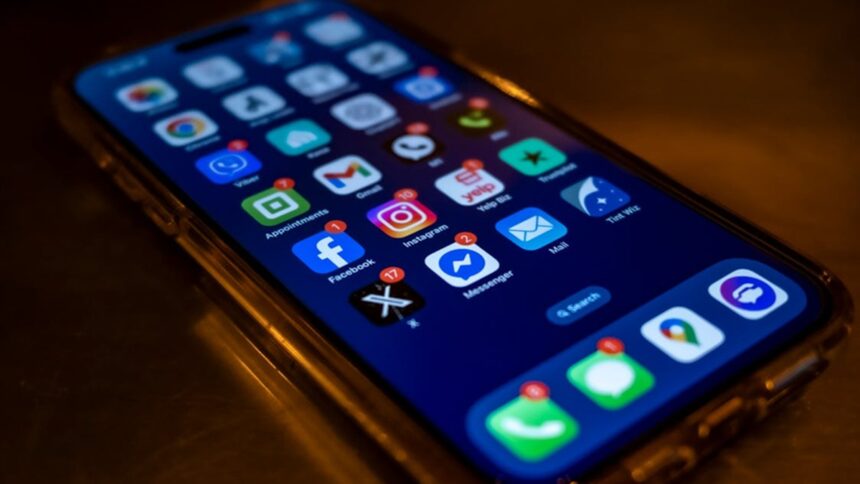
You have an iPhone with seemingly the best specs; however, apps out there make it even better. In fact, there are plenty of the best iOS apps out there with the capability to bring the best out of your iPhone, whether you are talking about productivity, health & fitness, navigation, travel, etc. It is a given that finding such apps is not easy since there are only a handful of ‘popular’ apps that many of the users are familiar with. This leaves a huge gap between users and often unknown or lesser-known apps that work exceptionally well and yet receive lower reception.

Keeping this in mind, we are introducing our listicle of five best iOS apps you must try this month, and you’ll love ’em.

Five best iOS apps you must try in May 2026

Youtify

Category: Music
Youtify
Image Credits: Youtify, via App Store

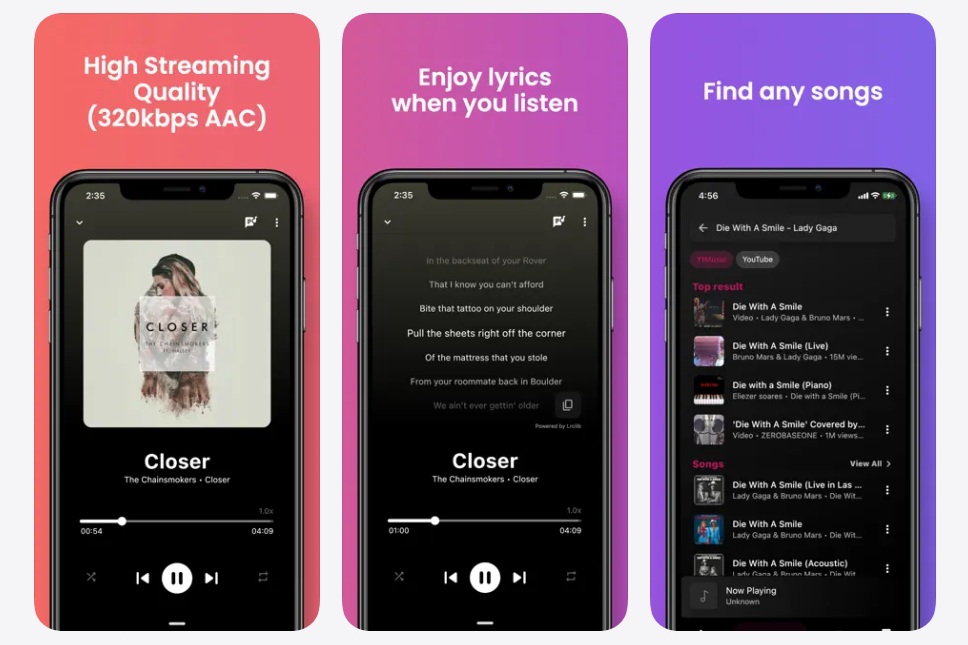
If you are annoyed with constant ads on Spotify and Apple Music, here’s your chance to bid adieu to them. With Youtify, you can enter an ad-free music-listening experience. The app has the capability to import playlists from Spotify so that you don’t miss them. The app has high-streaming quality of 320kbps AAC, 15+ music language supports, queue management, listening history records, and more. 

Youtify is easy to use with a built-in equalizer that ensures you can fine-tune music to fit your taste. Other features include YouTube search results, backup and restore, auto song recommendation, tag editing, dark mode, and so on. 

Download: Youtify

Arc Search

Category: Web Browser
Arc Search
Image Credits: Arc Search, via App Store

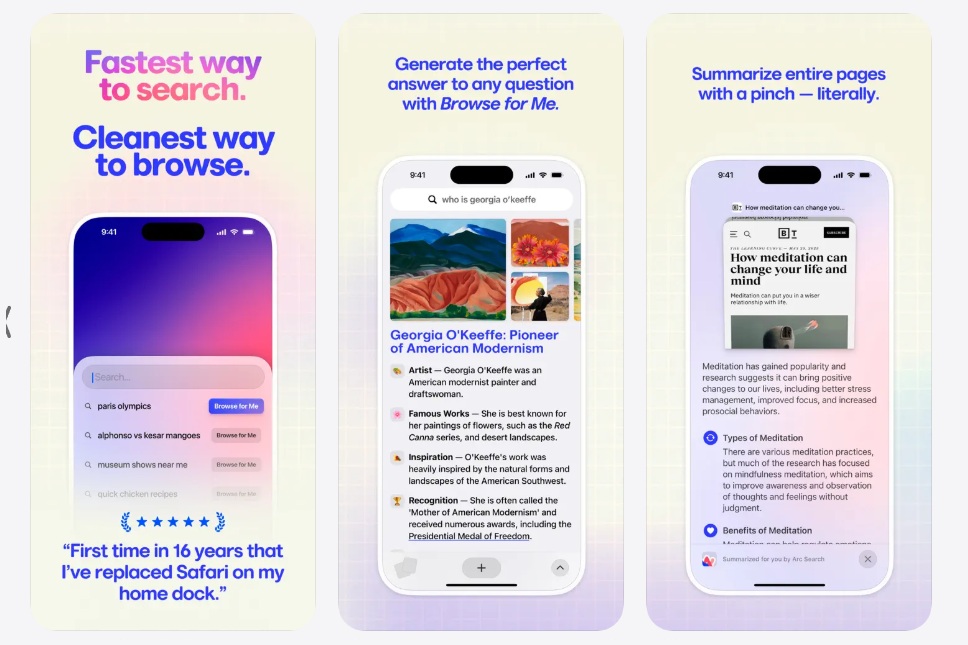
If you have been using Safari for a long time (which you are, definitely), it’s time to switch things a bit. Arc Search is a modern and minimalistic AI-powered web browser where the UI isn’t the center stage, but rather, it is meant to give you the best web experience for the websites you browse. It has an always-on ad blocker; there’s a tracker blocker, and banners and GDPR popups are gone too. A reader mode on-board gives the best reading experience, cutting back on distractions. 

The browser doesn’t compromise on your privacy. What you search and what you do remains in a highly secured environment with comprehensive data protection to give you the highest level of security. There’s syncing for all devices across tabs, spaces, and more, using Arc Sync. Turns out we would need more time just to list the features it has, so yeah, a must and recommended browser you should try.

Download: Arc Search

Albo

Category: Productivity
Albo - best iOS apps
Image Credits: Albo, via App Store

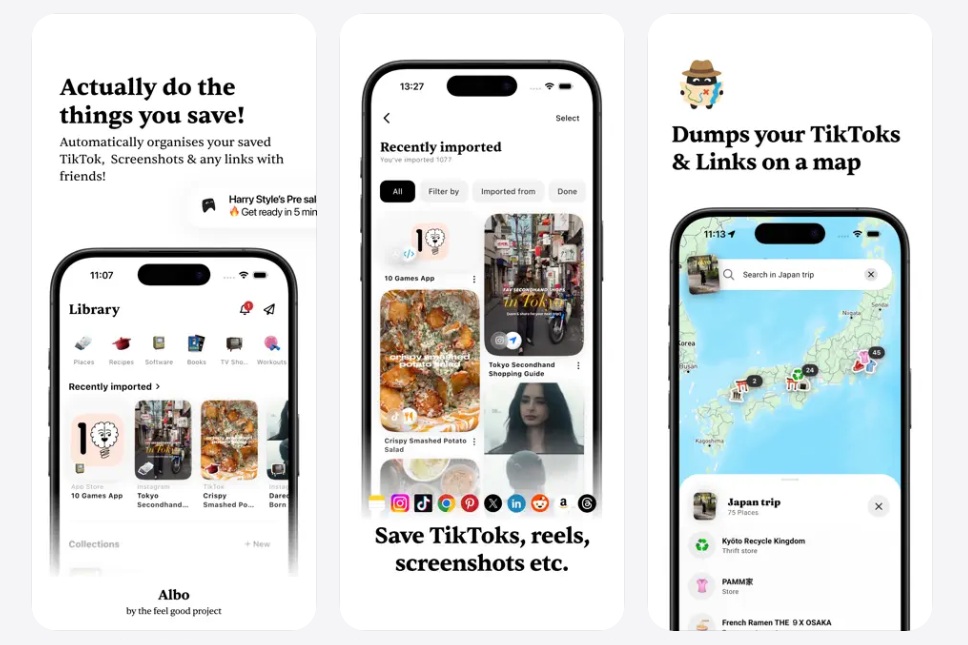
Think about a digital bookmark to keep track of that particular reel, shorts, lists, or guides that you came across and want to save for future use. Instagram lets you do that, but isn’t it just on that app? YouTube, Google Chrome, or any other app works on the same principle. The problem is, you can’t simply check out all these apps to find what you saved months ago.

Albo is an app that puts all these points of interest in a single place. Think about saving links, videos, shorts, reels, tools, workouts, recipes, points of attraction, and anything in between on a single app to retrieve when needed. In fact, I would say you will discover a lot you could have come across over the months, such as saving those crucial tips to follow when you have a flat tire. So, let’s give Albo a try.

Download: Albo

Widgy Widgets

Category: Utility
Widgy Widgets
Image Credits: Widgy Widgets, via App Store

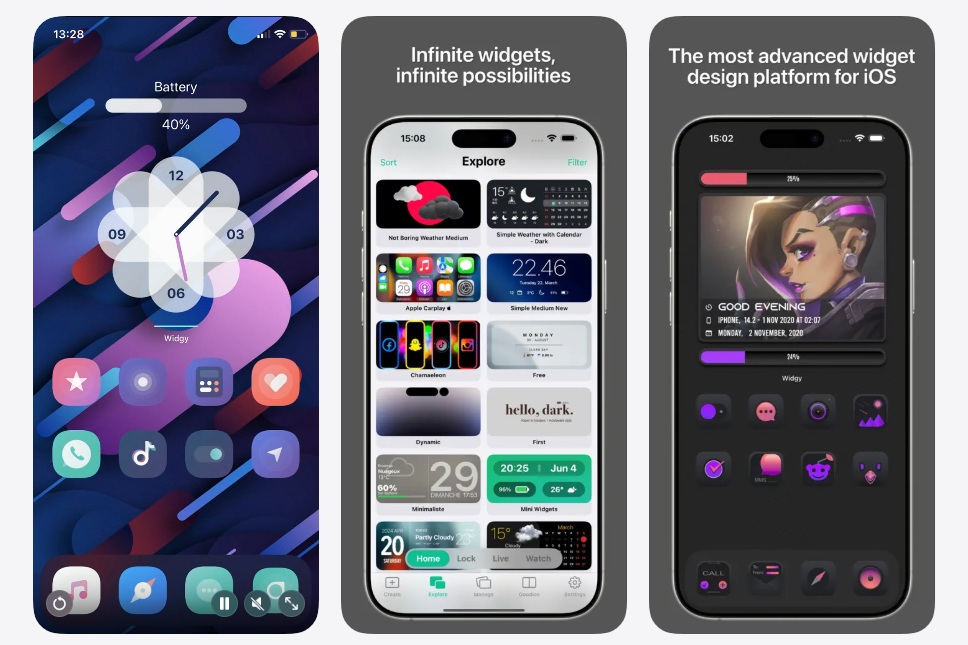
It’s time to spice up your home and lock screens on your iPhone. With Widgy Widgets, you can not just select a widget to keep but rather create one out of thin air. Think about adding elements, tie a data source to them, sprinkle some effects, and where you want to place it, the widget is ready. 

The app offers 100% customization, as mentioned, and is only limited by your imagination. You can choose from tens of hundreds of pre-built widgets from its catalog. Call it a marketplace (aka app store) just for the widgets.

Download: Widgy Widgets

Daily Notifier

Category: Reminder
Daily Notifier
Image Credits: Daily Notifier, via App Store

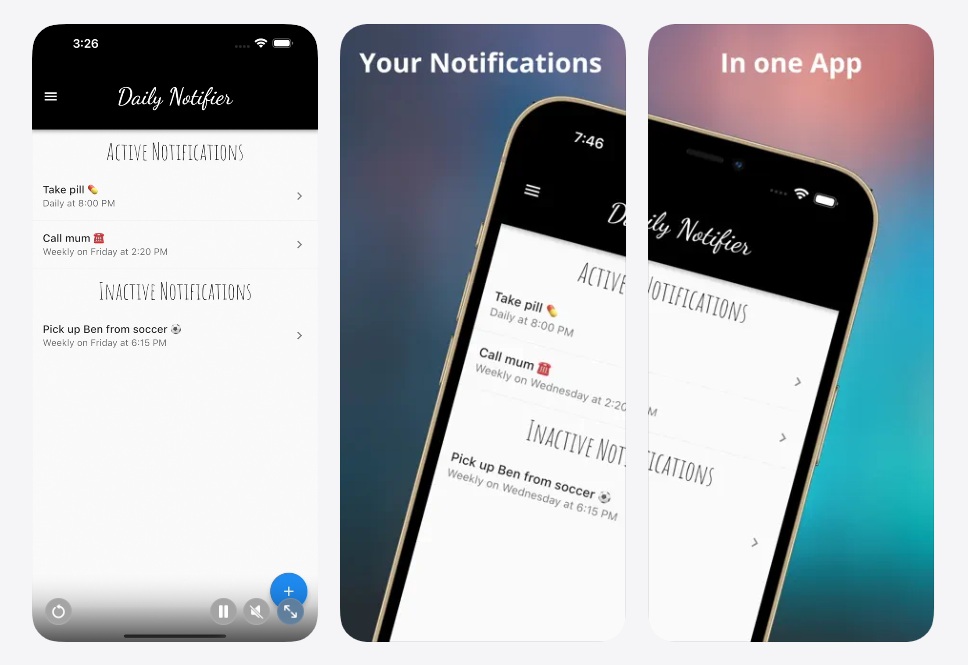
Over time, I have developed this practice of sending up alarms for anything I need to recall. For instance, I have a medication reminder set every Sunday, there’s an investment portfolio check every fourth Sunday of the month, and so on. Daily Notifier takes that principle and uses it as a push notification that helps remind you of things impromptu. For instance, you can schedule notifications to water your plants or repeat certain tasks at a recurring interval.

Since it sends you push notifications, it is much harder to ignore. You can set up tasks and alarms on a single date/time or set up a recurring timer to go with it. Daily Notifier supports personalized titles and reliable delivery of motivations and is easy to use. Think about reminding your parents to take their medication exactly at 11am, when you are probably at work or driving and may not be reachable. The app alerts users as required. 

Download: Daily Notifier

Keep up with the tech that actually matters.

From breaking news to deep dives, TrueTech brings you the tech stories worth knowing.
Add us as a preferred source on Google Search for quicker access to our coverage.

Add TrueTech as a preferred source on Google

Wrapping up!

Turns out that’s the end of our take on the five best iOS apps you must try on your iPhone (or iPad) in May 2026. From an app that can help you do tasks without forgetting them to an app that lets users create 100% customizable widgets for iPhones, here are the five apps you must watch out for, to be honest.


Share This Article
Follow:
A wordsmith, a kin tech observer, a sci-fi fanatic and a scientific documentary buff.
Highlights
  • The App Store on your iPhone gives you access to hundreds and thousands of apps across categories you can't even comprehend.
  • Here are five best iOS apps we came across for our readers for its May 2026 edition.
  • The aim is to bring new and lesser known apps from the nooks and crannies of the App Store that currently holds 2+ million apps.

You have an iPhone with seemingly the best specs; however, apps out there make it even better. In fact, there are plenty of the best iOS apps out there with the capability to bring the best out of your iPhone, whether you are talking about productivity, health & fitness, navigation, travel, etc. It is a given that finding such apps is not easy since there are only a handful of ‘popular’ apps that many of the users are familiar with. This leaves a huge gap between users and often unknown or lesser-known apps that work exceptionally well and yet receive lower reception.

Keeping this in mind, we are introducing our listicle of five best iOS apps you must try this month, and you’ll love ’em.

Five best iOS apps you must try in May 2026

Youtify

Category: Music

Youtify
Image Credits: Youtify, via App Store

If you are annoyed with constant ads on Spotify and Apple Music, here’s your chance to bid adieu to them. With Youtify, you can enter an ad-free music-listening experience. The app has the capability to import playlists from Spotify so that you don’t miss them. The app has high-streaming quality of 320kbps AAC, 15+ music language supports, queue management, listening history records, and more. 

Youtify is easy to use with a built-in equalizer that ensures you can fine-tune music to fit your taste. Other features include YouTube search results, backup and restore, auto song recommendation, tag editing, dark mode, and so on. 

Download: Youtify

Arc Search

Category: Web Browser

Arc Search
Image Credits: Arc Search, via App Store

If you have been using Safari for a long time (which you are, definitely), it’s time to switch things a bit. Arc Search is a modern and minimalistic AI-powered web browser where the UI isn’t the center stage, but rather, it is meant to give you the best web experience for the websites you browse. It has an always-on ad blocker; there’s a tracker blocker, and banners and GDPR popups are gone too. A reader mode on-board gives the best reading experience, cutting back on distractions. 

The browser doesn’t compromise on your privacy. What you search and what you do remains in a highly secured environment with comprehensive data protection to give you the highest level of security. There’s syncing for all devices across tabs, spaces, and more, using Arc Sync. Turns out we would need more time just to list the features it has, so yeah, a must and recommended browser you should try.

Download: Arc Search

Albo

Category: Productivity

Albo - best iOS apps
Image Credits: Albo, via App Store

Think about a digital bookmark to keep track of that particular reel, shorts, lists, or guides that you came across and want to save for future use. Instagram lets you do that, but isn’t it just on that app? YouTube, Google Chrome, or any other app works on the same principle. The problem is, you can’t simply check out all these apps to find what you saved months ago.

Albo is an app that puts all these points of interest in a single place. Think about saving links, videos, shorts, reels, tools, workouts, recipes, points of attraction, and anything in between on a single app to retrieve when needed. In fact, I would say you will discover a lot you could have come across over the months, such as saving those crucial tips to follow when you have a flat tire. So, let’s give Albo a try.

Download: Albo

Widgy Widgets

Category: Utility

Widgy Widgets
Image Credits: Widgy Widgets, via App Store

It’s time to spice up your home and lock screens on your iPhone. With Widgy Widgets, you can not just select a widget to keep but rather create one out of thin air. Think about adding elements, tie a data source to them, sprinkle some effects, and where you want to place it, the widget is ready. 

The app offers 100% customization, as mentioned, and is only limited by your imagination. You can choose from tens of hundreds of pre-built widgets from its catalog. Call it a marketplace (aka app store) just for the widgets.

Download: Widgy Widgets

Daily Notifier

Category: Reminder

Daily Notifier
Image Credits: Daily Notifier, via App Store

Over time, I have developed this practice of sending up alarms for anything I need to recall. For instance, I have a medication reminder set every Sunday, there’s an investment portfolio check every fourth Sunday of the month, and so on. Daily Notifier takes that principle and uses it as a push notification that helps remind you of things impromptu. For instance, you can schedule notifications to water your plants or repeat certain tasks at a recurring interval.

Since it sends you push notifications, it is much harder to ignore. You can set up tasks and alarms on a single date/time or set up a recurring timer to go with it. Daily Notifier supports personalized titles and reliable delivery of motivations and is easy to use. Think about reminding your parents to take their medication exactly at 11am, when you are probably at work or driving and may not be reachable. The app alerts users as required. 

Download: Daily Notifier

Keep up with the tech that actually matters.

From breaking news to deep dives, TrueTech brings you the tech stories worth knowing.
Add us as a preferred source on Google Search for quicker access to our coverage.

Add TrueTech as a preferred source on Google

Wrapping up!

Turns out that’s the end of our take on the five best iOS apps you must try on your iPhone (or iPad) in May 2026. From an app that can help you do tasks without forgetting them to an app that lets users create 100% customizable widgets for iPhones, here are the five apps you must watch out for, to be honest.

Share This Article
Follow:
A wordsmith, a kin tech observer, a sci-fi fanatic and a scientific documentary buff.