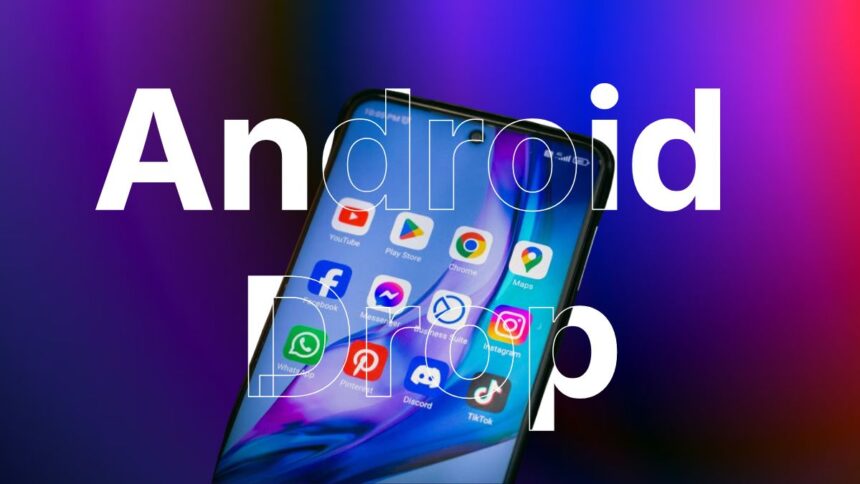
Google announces five features in September 2026 Android Drop

Aadil Raval
6 Min Read
Highlights
  • Google rolls out September Android Drop with 5 feature updates.
  • From editing lists on Google Messages to visual guidance using Gemini Live, the new feature list is impressive.
  • Note that some of these features were already available on Android 17 beta while some could be Pixel-only.

The latest September 2026 Android Drop is here, and we got our hands on the five updates that have arrived on-board Google apps. Note that some of the updates were already rolled out in August, although Google is linking them to the September Drop, so here it is.

Keep track of items with Find Hub and Gemini

Traveling is hectic, as you have to prepare a lot, especially when it comes to remembering things to carry with you. On the other hand, it could be as simple as remembering things to carry to the office or elsewhere. With Find Hub and Gemini, you can now check out where you kept certain stuff. 

For instance, keep your passport in a drawer in that second almirah in your bedroom and say, “Hey Google, remember in Find Hub that I have put my passport in that respective place.” Next time you need that passport, simply say, “Hey Google, where is my passport?” and Find Hub will guide you right away. 

Now, repeat the same for any and every item you often forget; Find Hub will take care of the rest. You can add locations and photos (optional) to the respective item as well. The feature runs on Android 16 and above. 

Find objects & more with Visual Guidance

I went to a hypermarket searching for salt the other day. Turns out we use a certain type and brand of salt. Since there were a lot of brands and they often use similar designs, I got confused. That’s where Google’s Visual Guidance with Gemini Live came into the picture.

Once you allow the camera feed, you can check out stuff and get guidance in real time. Maybe you are looking at directions to go or searching for a specific product in the market; the feature will guide you across it. 

The feature brings visual and audio descriptions as well so that you can point the camera towards the objects without any hassle. You can now read the fine print on a food label and understand what it actually means, or check out a restaurant menu when it’s absolutely dim, or some of a bazillion other tasks. I’d call this visual intelligence at its best. 
September 2026 Android Drop gets feature to curb motion sickness

Motion sickness is common across the globe. It may or may not be linked to a specific mode of transport, as some people feel sick when in the car or on the train, or on a bus, or altogether. Of course, there are ways to curb motion sickness, and Motion Assist onboard September Android Drop is one of them.

The feature adds motion cues shaped like bubbles that reduce the differences between what your eyes see and the motion of the vehicle. It helps those suffering from motion sickness avert the situation. You can customize the colors, shapes, opacity, and other details onboard. 

The feature was already dropped on Android 17 across Pixel devices, although the Android Drop mention could hint at a wider rollout across non-Pixel phones. 

Get editing with Google Keep on Google Messages

This one is for Google Keeps users on Google Messages with RCS. The feature lets users in an individual/group chat edit lists in real time and collaboratively. Think of it as a way to zero in on the list of ingredients for a recipe or your items to pack for a vacation. It could be a list of how many people to invite for a party and so on. 

The aim is to bring about a collaborative approach allowing every participant in the group chat to edit lists to remember.

Change themes on Google Messages

If you are a Google Messages user, the September 2026 Android Drop brings the ability to change themes on the app. As part of a rollout last week, the Messages app lets users customize their themes or choose photos of their choice as the backdrop. 

The app will simply follow the prominent color from the theme as chosen. Finally, you can change it on an individual basis, which means a different theme for me and for Elon Musk, you know, in case you are chatting with him.

Every month, Google drops its fair share of updates across Google apps. Some of the features onboarded in the September 2026 Android Drop were already out and about, although we are hoping some or all of these features will roll out across non-Pixel devices as well.

Keep up with the tech that actually matters.

From breaking news to deep dives, TrueTech brings you the tech stories worth knowing.
Add us as a preferred source on Google Search for quicker access to our coverage.
Add TrueTech as a preferred source on Google
Share This Article
Follow:
A wordsmith, a kin tech observer, a sci-fi fanatic and a scientific documentary buff.
Highlights
  • Google rolls out September Android Drop with 5 feature updates.
  • From editing lists on Google Messages to visual guidance using Gemini Live, the new feature list is impressive.
  • Note that some of these features were already available on Android 17 beta while some could be Pixel-only.

The latest September 2026 Android Drop is here, and we got our hands on the five updates that have arrived on-board Google apps. Note that some of the updates were already rolled out in August, although Google is linking them to the September Drop, so here it is.

Keep track of items with Find Hub and Gemini

Traveling is hectic, as you have to prepare a lot, especially when it comes to remembering things to carry with you. On the other hand, it could be as simple as remembering things to carry to the office or elsewhere. With Find Hub and Gemini, you can now check out where you kept certain stuff. 

For instance, keep your passport in a drawer in that second almirah in your bedroom and say, “Hey Google, remember in Find Hub that I have put my passport in that respective place.” Next time you need that passport, simply say, “Hey Google, where is my passport?” and Find Hub will guide you right away. 

Now, repeat the same for any and every item you often forget; Find Hub will take care of the rest. You can add locations and photos (optional) to the respective item as well. The feature runs on Android 16 and above. 

Find objects & more with Visual Guidance

I went to a hypermarket searching for salt the other day. Turns out we use a certain type and brand of salt. Since there were a lot of brands and they often use similar designs, I got confused. That’s where Google’s Visual Guidance with Gemini Live came into the picture.

Once you allow the camera feed, you can check out stuff and get guidance in real time. Maybe you are looking at directions to go or searching for a specific product in the market; the feature will guide you across it. 

The feature brings visual and audio descriptions as well so that you can point the camera towards the objects without any hassle. You can now read the fine print on a food label and understand what it actually means, or check out a restaurant menu when it’s absolutely dim, or some of a bazillion other tasks. I’d call this visual intelligence at its best. 

September 2026 Android Drop gets feature to curb motion sickness

Motion sickness is common across the globe. It may or may not be linked to a specific mode of transport, as some people feel sick when in the car or on the train, or on a bus, or altogether. Of course, there are ways to curb motion sickness, and Motion Assist onboard September Android Drop is one of them.

The feature adds motion cues shaped like bubbles that reduce the differences between what your eyes see and the motion of the vehicle. It helps those suffering from motion sickness avert the situation. You can customize the colors, shapes, opacity, and other details onboard. 

The feature was already dropped on Android 17 across Pixel devices, although the Android Drop mention could hint at a wider rollout across non-Pixel phones. 

Get editing with Google Keep on Google Messages

This one is for Google Keeps users on Google Messages with RCS. The feature lets users in an individual/group chat edit lists in real time and collaboratively. Think of it as a way to zero in on the list of ingredients for a recipe or your items to pack for a vacation. It could be a list of how many people to invite for a party and so on. 

The aim is to bring about a collaborative approach allowing every participant in the group chat to edit lists to remember.

Change themes on Google Messages

If you are a Google Messages user, the September 2026 Android Drop brings the ability to change themes on the app. As part of a rollout last week, the Messages app lets users customize their themes or choose photos of their choice as the backdrop. 

The app will simply follow the prominent color from the theme as chosen. Finally, you can change it on an individual basis, which means a different theme for me and for Elon Musk, you know, in case you are chatting with him.

Every month, Google drops its fair share of updates across Google apps. Some of the features onboarded in the September 2026 Android Drop were already out and about, although we are hoping some or all of these features will roll out across non-Pixel devices as well.

Keep up with the tech that actually matters.

From breaking news to deep dives, TrueTech brings you the tech stories worth knowing.
Add us as a preferred source on Google Search for quicker access to our coverage.

Add TrueTech as a preferred source on Google
Share This Article
Follow:
A wordsmith, a kin tech observer, a sci-fi fanatic and a scientific documentary buff.