- WhatsApp beta 2.26.45.5 introduces a redesigned floating, transparent navigation bar.
- The navigation bar shrinks into a compact pill shape when scrolling down and expands when scrolling up.
- - The new design appears across Chats, Updates, Contacts and Calls sections.
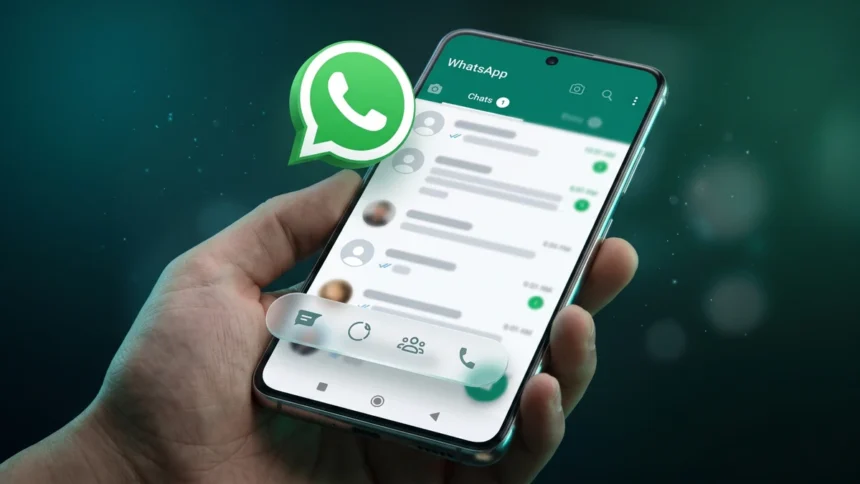
WhatsApp is apparently testing a redesigned navigation bar with a floating and transparent pill-shaped design. The WhatsApp floating navigation bar is spotted in the latest WhatsApp beta for Android, version 2.26.45.5, and it gives a clear glimpse at how the messaging platform is aiming to refresh its navigation experience not only for iOS users but also for Android users.
New WhatsApp floating navigation bar arrives in beta
The information comes from a well-known WhatsApp beta and updates tracker site, WABetaInfo. According to the publisher, the redesigned floating navigation bar gives a more compact view that really changes its appearance, kind of giving an iOS-like experience.
The first thing you will notice is obviously a floating navigation bar; that’s basically what it is all about. Anyway, it replaces the current static bottom navigation bar, and Meta appears to be making this change to give the platform a refreshing look.
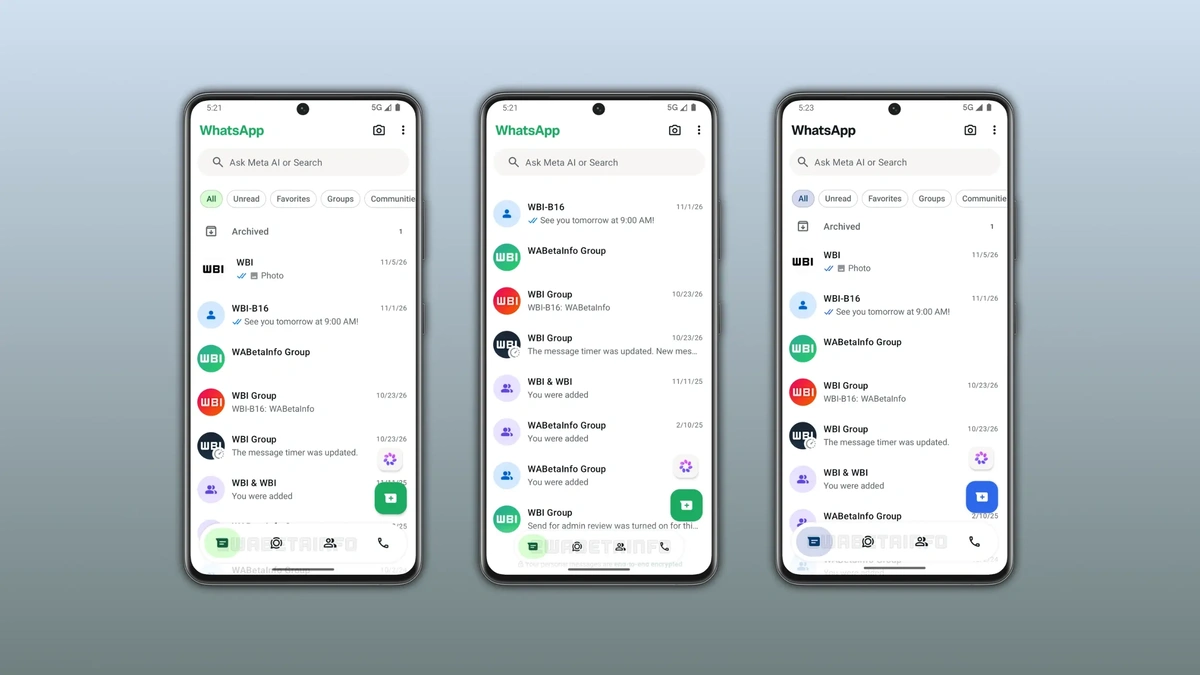

When scrolling down through the chat tab, the navigation bar automatically adjusts or shrinks in both width and height, notes WABetaInfo. Subsequently, the bar turns into a smaller pill-shaped design, featuring rounded corners, and it also hides the text labels next to the navigation icons. However, the transparent navigation bar comes back to its original form when you scroll back up.
The floating navigation bar is not only limited to the chat tab. It appears exactly like this and functions the same across four tabs on WhatsApp, including Chats, Updates, Contacts, and Calls.
How to try the new WhatsApp floating navigation bar
The redesigned navigation bar is currently limited to the WhatsApp beta for Android beta version 2.26.45.5. If you are interested in getting it before anybody else, here’s exactly what you need to do. Users wishing to explore the new interface or beta updates can check the Google Play Store for the WhatsApp beta program and join if registrations are open.
Still, we would like to bring to your attention that getting into the beta version does not guarantee you will receive the feature immediately. The thing is WhatsApp typically rolls out beta or experimental features to limited beta users.
Keep up with the tech that actually matters.
Add us as a preferred source on Google Search for quicker access to our coverage.