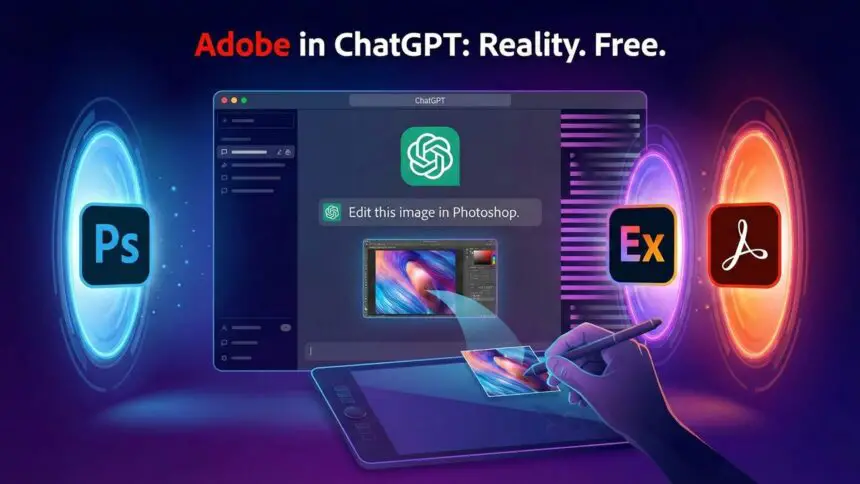
Adobe integrates Photoshop, Express, and Acrobat directly into ChatGPT

Jeeva Shanmugam
3 Min Read
Highlights
  • Adobe in ChatGPT now lets you use Photoshop, Express and Acrobat through plain text commands without opening any separate apps.
  • Users can edit images, design social posts and manage full PDF tasks directly inside the chat while keeping the original quality intact.
  • The new integration is free on desktop, web and iOS, with Android support for Photoshop and Acrobat coming later.

Adobe has rolled out a new update that many users might miss at first glance, but it’s a surprisingly big deal. With Adobe in ChatGPT, Photoshop, Adobe Express, and Acrobat are now built directly into the platform. This integration allows users to handle a wide range of editing and document tasks simply by typing what you want done. No launching heavy software, no juggling windows, no technical learning curve.

The update is available starting today on desktop, the web, and iOS. Notably, Android users already have access to Adobe Express, with Photoshop and Acrobat tools coming soon.

Photoshop edits you can do with just a message using Adobe in ChatGPT

With this update, Adobe has made quick Photoshop edits incredibly easy. Instead of digging through panels or figuring out which tool does what, you just tell ChatGPT what change you want. Want to brighten a background? Add a glow? Adjust exposure or tweak contrast? Just say so.

ChatGPT handles the adjustments while keeping the quality of the original image intact. It works almost like describing your idea to a friend who’s already skilled at Photoshop and then watching it come to life.
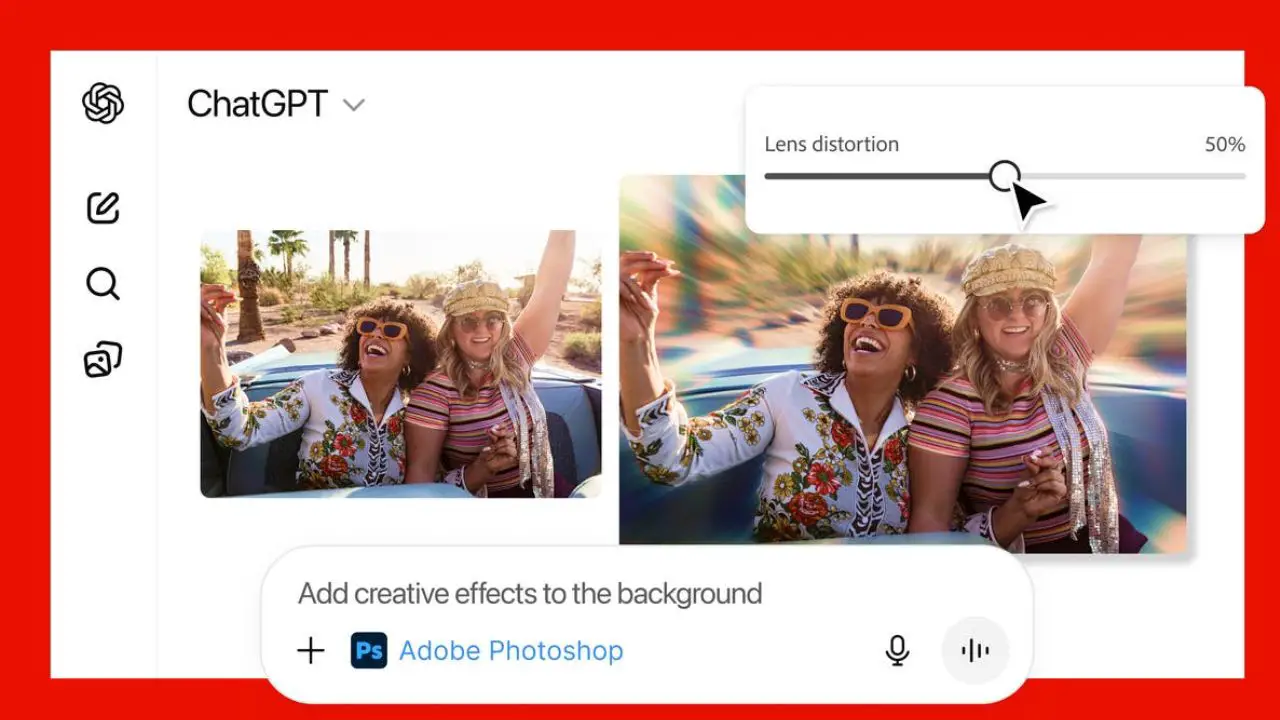
Adobe in ChatGPT
Image Credits: Adobe

Adobe Express speeds up social posts and simple designs

For anyone who makes social media graphics, banners, or quick marketing materials, Adobe Express inside ChatGPT can be a real time saver. You can describe the kind of post you want—say, a promo for a coffee shop, and ChatGPT will put together a ready-to-use design based on Adobe Express templates.

From there, you can ask it to replace an image, tweak the headline, or add a bit of animation. Everything happens in the chat, so you’re not bouncing between apps or browser tabs.

Acrobat tasks become far less annoying

PDF tasks often feel like a chore. Merging files, extracting tables, editing text, or reordering pages usually takes multiple steps and the right software. With Acrobat tools inside ChatGPT, those jobs become much simpler.

You can merge documents, compress large files, convert formats, or clean out sensitive information just by describing what you need. Adobe says the formatting stays intact, which is good news for students, office workers, and anyone who deals with PDFs regularly.

A step toward more accessible creative tools

Adobe’s new ChatGPT integration makes advanced editing tools feel more approachable. You don’t need technical experience, design knowledge, or even access to the full Adobe suite. You just chat.

Overall, whether you’re polishing photos, creating fast social content, or fixing PDF documents, this update can help keep your workflow smooth and uninterrupted. For digital creators, small businesses, and everyday users, it’s a straightforward way to get things done without slowing down.

SOURCES:Adobe
Share This Article
Making spicy content on the Internet!
Highlights
  • Adobe in ChatGPT now lets you use Photoshop, Express and Acrobat through plain text commands without opening any separate apps.
  • Users can edit images, design social posts and manage full PDF tasks directly inside the chat while keeping the original quality intact.
  • The new integration is free on desktop, web and iOS, with Android support for Photoshop and Acrobat coming later.

Adobe has rolled out a new update that many users might miss at first glance, but it’s a surprisingly big deal. With Adobe in ChatGPT, Photoshop, Adobe Express, and Acrobat are now built directly into the platform. This integration allows users to handle a wide range of editing and document tasks simply by typing what you want done. No launching heavy software, no juggling windows, no technical learning curve.

The update is available starting today on desktop, the web, and iOS. Notably, Android users already have access to Adobe Express, with Photoshop and Acrobat tools coming soon.

Photoshop edits you can do with just a message using Adobe in ChatGPT

With this update, Adobe has made quick Photoshop edits incredibly easy. Instead of digging through panels or figuring out which tool does what, you just tell ChatGPT what change you want. Want to brighten a background? Add a glow? Adjust exposure or tweak contrast? Just say so.

ChatGPT handles the adjustments while keeping the quality of the original image intact. It works almost like describing your idea to a friend who’s already skilled at Photoshop and then watching it come to life.

Adobe in ChatGPT
Image Credits: Adobe

Adobe Express speeds up social posts and simple designs

For anyone who makes social media graphics, banners, or quick marketing materials, Adobe Express inside ChatGPT can be a real time saver. You can describe the kind of post you want—say, a promo for a coffee shop, and ChatGPT will put together a ready-to-use design based on Adobe Express templates.

From there, you can ask it to replace an image, tweak the headline, or add a bit of animation. Everything happens in the chat, so you’re not bouncing between apps or browser tabs.

Acrobat tasks become far less annoying

PDF tasks often feel like a chore. Merging files, extracting tables, editing text, or reordering pages usually takes multiple steps and the right software. With Acrobat tools inside ChatGPT, those jobs become much simpler.

You can merge documents, compress large files, convert formats, or clean out sensitive information just by describing what you need. Adobe says the formatting stays intact, which is good news for students, office workers, and anyone who deals with PDFs regularly.

A step toward more accessible creative tools

Adobe’s new ChatGPT integration makes advanced editing tools feel more approachable. You don’t need technical experience, design knowledge, or even access to the full Adobe suite. You just chat.

Overall, whether you’re polishing photos, creating fast social content, or fixing PDF documents, this update can help keep your workflow smooth and uninterrupted. For digital creators, small businesses, and everyday users, it’s a straightforward way to get things done without slowing down.

SOURCES:Adobe
Share This Article
Making spicy content on the Internet!