- OnePlus is making a major software move with ColorOS 17.
- Five OnePlus smartphones are included in the initial phase.
- Users should check a few important details before making the switch.
OnePlus has officially entered the transition phase for its operating system. Today, the company announced that it is switching to OPPO’s ColorOS, and its Android-17-based ColorOS 17 open beta goes live in India for select devices, with a broader release expected soon.
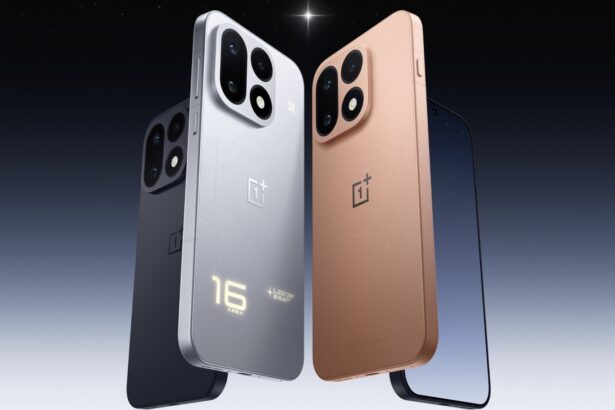
Realistically, users can currently apply and opt to test ColorOS 17 before anyone else. OnePlus has brought the beta to five smartphones, including the OnePlus 15 and OnePlus 13 series. Interested users are eligible to register through the phone’s internal software update window, closing on October 12, 2026.
Which OnePlus phones can run the ColorOS 17 open beta?
According to OnePlus’ official community, the beta program is limited to selected Indian-market devices. In order to be able to receive the beta registration option on your device, users should check their phone’s software build number instead of thinking that they could just register and enroll to open beta on the eligible models.
The supported firmware versions are as follows:
| Eligible smartphones | Prerequisite device version |
|---|---|
| OnePlus 15 | CPH2745_16.0.10.500(EX01) CPH2745_16.0.10.601(EX01) |
| OnePlus 15R | CPH2767_16.0.10.500(EX01) CPH2767_16.0.10.600(EX01) |
| OnePlus 13 | CPH2649_16.0.10.501(EX01) CPH2649_16.0.10.600(EX01) |
| OnePlus 13s | CPH2723_16.0.10.500(EX01) |
| OnePlus 13R | CPH2691_16.0.10.500(EX01) CPH2691_16.0.10.600(EX01 |

Users who wish to get their hands on ColorOS 17 before its official release are advised to follow the build number. It is important because if your device is not updated to the required version, you won’t be considered eligible for open beta registeration. Ergo, if you’re thrilled to explore the new version based on Android 17 and the ColorOS experience, you are required to update your device to the aforementioned version.

How to register for ColorOS 17 on a OnePlus phone
It’s actually very easy to register. OnePlus has made the registeration process easily accessible via software update options in settings. To register, open Settings, click on About device, tap on “Up to date,” tap the menu icon (three dots) in the top-right corner, select “Beta program,” and simply follow the instructions to submit your application.
Once selected, users can check for the update by going to Settings > About device > Download Now.
Note: Once your application is submitted, you may be considered for beta testing. However, it does not guarantee that you will receive the beta version.
Beta testers, be aware!
I can feel the curiosity of exploring the early version, and that’s when we should be aware of what’s coming along with the beta version. Since this is an early access, it comes with some trade-offs. A beta build is usually unlike a stable release, so features and functions may work or behave differently. However, users who spot any glitch or issue with the version can share feedback or report to OnePlus.
To report any bugs or issues, you can use the following methods:
- Early access users are advised to open the Google Dialer app and enter *#800#. It will open a feedback menu where you can put details and submit it.
- Alternatively, users can report via the “Help & feedback” option available in your device’s Settings.
How to rollback to OxygenOS?
Enrolled users who wish not to continue testing and roll back to an older version/stable release can do it through the local rollback package.
However, we would like to specify that the downgrade process will erase data from your device. Thereby, it’s better to back up your files before enrolling in the beta program.
ColorOS 17 launches next week
If you don’t want to enroll in early access, there’s no need to worry. OPPO has officially announced the global launch of ColorOS 17, scheduled for October 13, 2026. Following its release, the company will share the official rollout timeline, after which users can check the release for their devices and install upon its availability.
Until then, interested users can enroll for beta testing. General users will have to wait for the official release and availability.
Keep up with the tech that actually matters.
Add us as a preferred source on Google Search for quicker access to our coverage.