- Apple has released iOS 26.1 beta 1 with a bunch of minor changes.
- The Liquid Glass UI has now found it's way into the Phone app. Apple has added few more languages across Apple Intelligence and AirPods Live Translation features.
- iOS 26.1 beta 1 brings minor but useful changes to the Apple Music app, the Calendar app and a bunch of others that you can read here.
Just a week after iOS 26 went public, Apple has released iOS 26.1 beta 1 for developers that brings a bunch of features and updates that will soon propagate to the end users. Here’s what you get.
Tracking iOS 26.1 beta 1 changes
We tracked all minor changes on-board iOS 26.1 beta 1 to keep you updated with the latest iOS news.
For starters, Apple Intelligence (or Apple’s AI) has announced support for new languages — Chinese (Traditional), Portuguese (Portugal), Swedish, Norwegian, Dutch, Danish, Vietnamese, and Turkish. There’s new live translation language support on AirPods as well, starting with iOS 26.1, which includes Italian, Korean, Japanese, and Chinese (Traditional and Simplified).
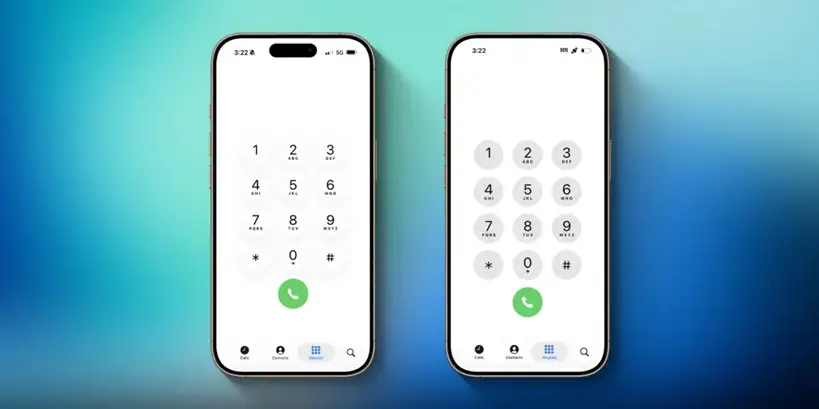
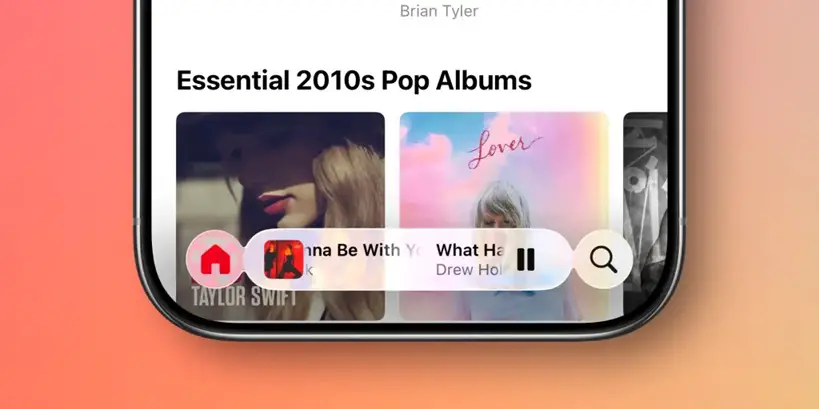
Apple has added Liquid Glass UI for the numbers on the Phone keypad. It’s a bit of UI change (after major updates happened on iOS 26 already) that might go unnoticed, but it’s there. The Apple Music now lets you swipe the music player to switch songs — something I tried across YouTube Music for a while on my Samsung (just saying FYI). You need to swipe on the song title, though, it goes both to the next and the previous song while you swipe towards the right and left, respectively. ‘
Apple is working its way to Agentic AI as the latest iOS 26.1 beta 1 code shows support for Model Context Protocol (MCP) — the precursor to extend support for agentic AI and the key component moving towards an industry standard for future updates to come through.
iOS 26.1 beta 1 now shows you colored highlights of all the events in the list view, extending full-width, unlike iOS 26.0. Another change comes to the Apple Photos app, where the videos now have a much-improved playback scrubber, making it easier to scroll through the length of the video rather than struggling with the playback.
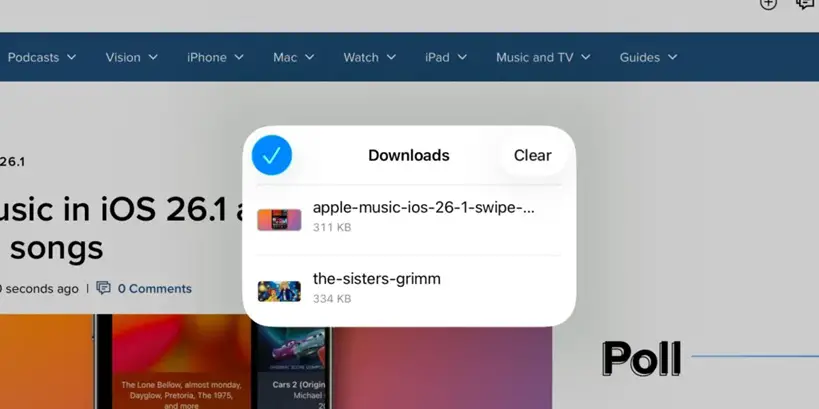
For the Safari app, now you can see the Tab Bar with less padding around the edges. Additionally, the Safari app on iPadOS 16.1 now provides a separate Downloads dialog panel, rather than a drop-down menu under the ‘Downloads icon’.
Let us know which changes made more sense to you. We are expecting iOS 26.1 beta 1 to roll out soon across devices, although we are not putting dates as of writing this.