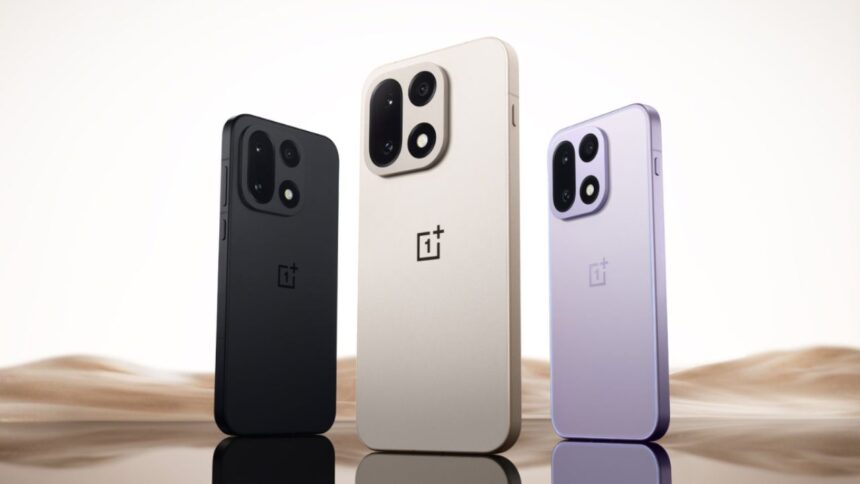
- OnePlus Anti Rollback now uses hardware-level protection that permanently bricks the phone if an older software version is installed, leaving no software recovery option.
- The update mainly impacts users who unlock bootloaders, flash custom ROMs, or manually downgrade firmware, where even a small mistake can destroy the device.
- This protection is already active on select ColorOS 16 builds and is expected to reach global OxygenOS devices soon, changing how OnePlus users handle updates.
OnePlus recently changed how software updates work. Earlier, if something broke, you could downgrade and fix it. That option is slowly disappearing. The reason is the new OnePlus Anti Rollback system. This is not a small change. It directly affects the life of your phone. Let’s discuss.
OnePlus Anti-Rollback update raises serious concerns for power users
The idea behind OnePlus Anti Rollback is simple. OnePlus does not want users to go back to older software versions. Other brands already do this, but OnePlus went a step ahead. This time, it is not only software protection.
The phone now uses an e-fuse on the motherboard. When you install a newer update, that fuse records it. If the phone later detects an older firmware, the fuse trips. Once that happens, the phone stops turning on.

No flashing tool can fix it. No fastboot trick works. The phone is dead. Only a motherboard replacement can bring it back. This protection is already live on Chinese models running ColorOS 16.
Affected builds include:
- OnePlus 15 on build 16.0.3.503
- OnePlus 13 and 13T on build 16.0.3.501
- OnePlus Ace 5 and Ace 5 Pro on build 16.0.3.500
These are not global models yet. But OnePlus usually uses the same base code for OxygenOS and ColorOS. So it is very likely this will reach global devices soon. If you are a normal user who updates through settings, you are mostly safe. Nothing changes for you.

But if you unlock the bootloader, flash ROMs, or downgrade builds, this is dangerous. Earlier, downgrading was a safety net. With OnePlus Anti Rollback, that same step can destroy your phone. One mistake and the phone becomes a brick. No warning screen, no second chance.
Overall, OnePlus should have explained this clearly. Many users update without knowing the risk behind it. If you care about control, freedom, and experimenting, be very careful with new builds. Avoid downgrades completely. This change is quiet, strict, and permanent. Once triggered, there is no fix.