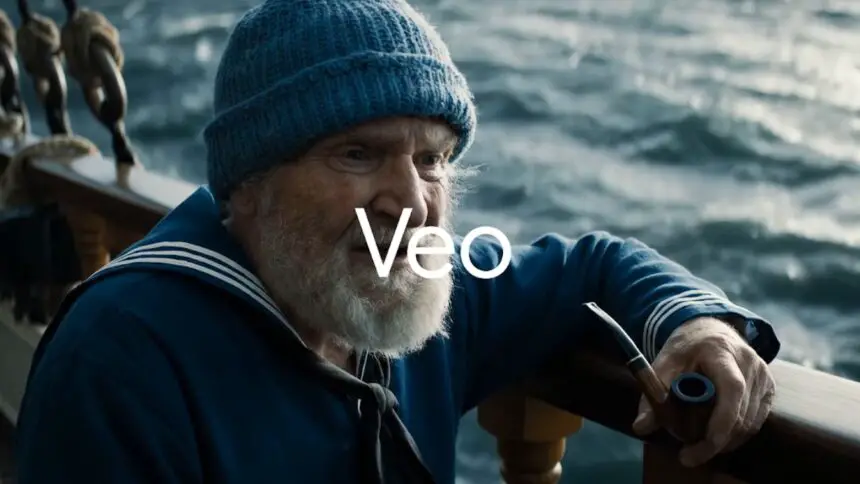
Google Photos Veo 3 introduces photo-to-video, remix options, and smarter creative tools

Want to see how Veo 3 changes your old photos? You can do it now.

Jeeva Shanmugam
3 Min Read
Highlights
  • Google Photos Veo 3 now lets users convert still images into realistic short videos using AI-powered prompts.
  • The new Create tab combines tools like Remix, upgraded Collage, and automatic Highlight Videos for easier creativity.
  • The update is rolling out in the US with limited access for free users, while Pro and Ultra subscribers get extended usage.

Google Photos is rolling out a big update with its Veo 3 model. This is not just another small feature, it’s about making your photos more alive. The new update gives you the option to change still photos into short moving clips and also comes with some extra creative tools.

Google Photos Veo 3 brings photo-to-video, remix, and smarter creative tools

What is Google Photos Veo 3

The main feature in this update is the photo to video tool powered by Google Photos Veo 3. Inside the app, you can go to the Create tab and select the option. After picking your photo, you will get two choices.

The first one called subtle movement, it adds light and realistic motion like a small breeze moving or a soft perspective shift. The second one called I’m feeling lucky, where Google AI takes more control and makes a more dynamic and unique video for you. In the end, you get a clip that looks way more natural than a still picture.
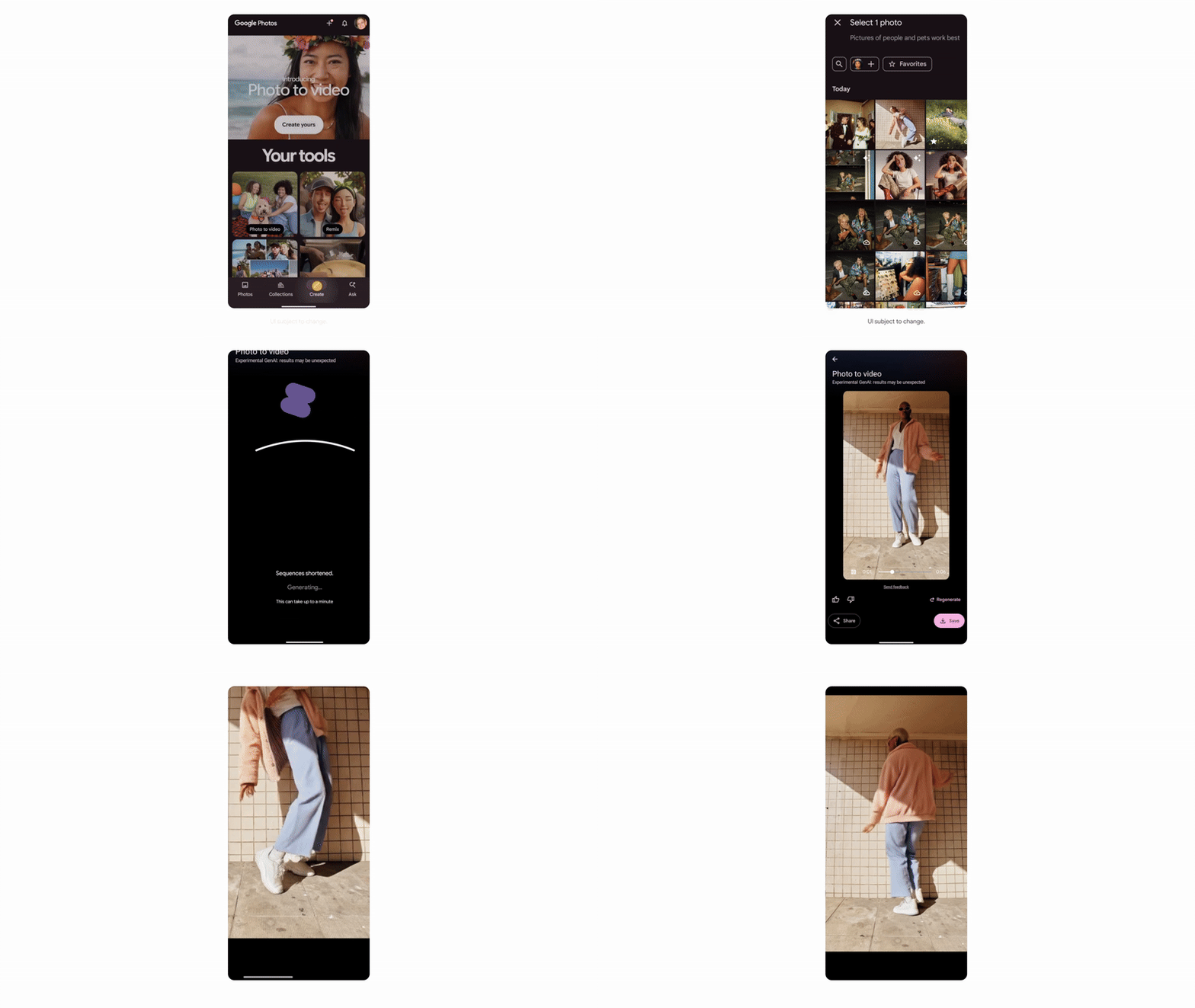
Google Photos Veo 3 updates

Other creative tools inside Create tab

This update is not only about Google Photos Veo 3. Google has moved all its creative AI tools under the new Create tab. There are few other features worth noting. Remix is a new option that lets you reimagine your photo in different styles. You can try anime, comic book art or even a 3D style.

Collage is an upgraded version now where you can put together multiple photos, edit brightness, add filters and design the collage in one place. Highlight videos is another option which saves you time. Instead of searching and editing manually, you can type things like Paris trip or family vacation and Google Photos will automatically make a video montage out of your library.

Availability and access

Right now, Google Photos Veo 3 and Remix are being rolled out only in the United States. If you are using the free version, there is a daily limit for how many videos or remixes you can make. Pro and Ultra subscribers get more access with fewer limits.

This update shows how Google is pushing more AI into Photos. The ability to turn a single photo into a moving video is not only fun but also a new way of keeping memories. With Google Photos Veo 3, Remix, Collage and Highlight videos, the app is becoming less about storage and more about creativity.


Share This Article
Making spicy content on the Internet!
Highlights
  • Google Photos Veo 3 now lets users convert still images into realistic short videos using AI-powered prompts.
  • The new Create tab combines tools like Remix, upgraded Collage, and automatic Highlight Videos for easier creativity.
  • The update is rolling out in the US with limited access for free users, while Pro and Ultra subscribers get extended usage.

Google Photos is rolling out a big update with its Veo 3 model. This is not just another small feature, it’s about making your photos more alive. The new update gives you the option to change still photos into short moving clips and also comes with some extra creative tools.

Google Photos Veo 3 brings photo-to-video, remix, and smarter creative tools

What is Google Photos Veo 3

The main feature in this update is the photo to video tool powered by Google Photos Veo 3. Inside the app, you can go to the Create tab and select the option. After picking your photo, you will get two choices.

The first one called subtle movement, it adds light and realistic motion like a small breeze moving or a soft perspective shift. The second one called I’m feeling lucky, where Google AI takes more control and makes a more dynamic and unique video for you. In the end, you get a clip that looks way more natural than a still picture.

Google Photos Veo 3 updates

Other creative tools inside Create tab

This update is not only about Google Photos Veo 3. Google has moved all its creative AI tools under the new Create tab. There are few other features worth noting. Remix is a new option that lets you reimagine your photo in different styles. You can try anime, comic book art or even a 3D style.

Collage is an upgraded version now where you can put together multiple photos, edit brightness, add filters and design the collage in one place. Highlight videos is another option which saves you time. Instead of searching and editing manually, you can type things like Paris trip or family vacation and Google Photos will automatically make a video montage out of your library.

Availability and access

Right now, Google Photos Veo 3 and Remix are being rolled out only in the United States. If you are using the free version, there is a daily limit for how many videos or remixes you can make. Pro and Ultra subscribers get more access with fewer limits.

This update shows how Google is pushing more AI into Photos. The ability to turn a single photo into a moving video is not only fun but also a new way of keeping memories. With Google Photos Veo 3, Remix, Collage and Highlight videos, the app is becoming less about storage and more about creativity.

Share This Article
Making spicy content on the Internet!