- Now you can unlock your iPhone using voice command.
- Here's the step-by-step instructions on how to do it using iPhone's Accessibility feature.
- Note that it might trigger security issues although the occurrence is way less so a bit of caution is recommended.
Do you know? You can unlock an iPhone with a voice command. No, the feature is not available outright apart from Face ID and PIN, but rather uses the iPhone’s accessibility feature to unlock it. I came across this technique while browsing on TikTok, can you believe it? There are some use cases why you need this technique, such as when your hands are caught up, your friend wants to check something, and you cannot share the PIN, etc., etc. Well, let’s see how you can do it.
How to unlock iPhone with voice command: step-by-step instructions
Repeat after me and trust me, it’s not rocket science. All you need is your iPhone and a temporary marker pen. Now that the stage is set, here’s how to do it.
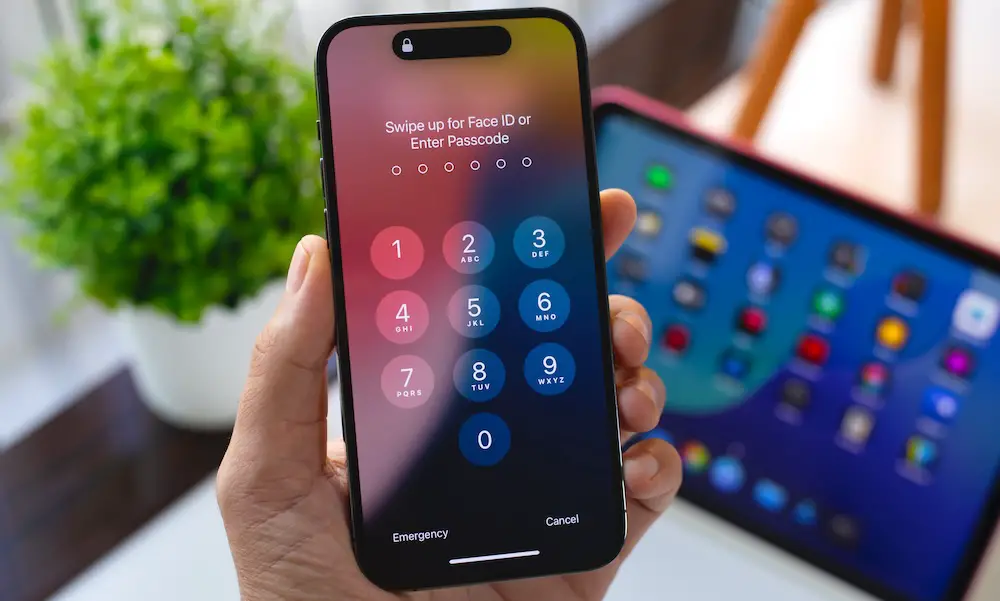
- Step 1: Lock your iPhone and head over to the PIN. Take a marker and jot down areas where digits are located. For instance, if my PIN is 123456, I need to mark the spots for ‘1’, ‘2’, till ‘6’. Make sure you are using a temporary marker.
- Step 2: Next, head over to the “Settings” on your iPhone.
- Step 3: Proceed to “Accessibility”.
- Step 4: Head over to “Physical and Motor” and then proceed to “Voice Control”.
- Step 5: You can toggle ON the switch against “Voice Control”.
- Step 6: Head over to “Commands >> “Create New Command”.
- Step 7: Enter the phrase such as “Unlock”, set action as “Run Custom Gesture”, and then tap on the screen where you have marked the PIN, i.e., 123456, in my example.
- Step 8: Once you have set the custom gesture, tap on “Save” and “Save” again.
- Step 9: Finally, lock your phone using the side button, and next time, whenever you want to unlock your iPhone, simply press the side button and say “Unlock”. If you have any other phrase set, you need to repeat that.
Related

Wrapping up
Although your iPhone supports unlocking the phone with voice command, it comes with its caveats and limitations. We have seen that people could potentially unlock your iPhone with their voice commands (although the success rate could be way lower), which could be a privacy concern. You can totally avoid pulling this technique unless you are sure your iPhone is secured from prying eyes.
But there’s a way. Instead of saying the usual terms such as “Unlock” or “Unlock my iPhone”, you can say “With great powers comes great responsibility”. I am pretty sure no one will be able to guess this as your voice command, unless the one who shadows you. Thus, a bit of caution is advisable.