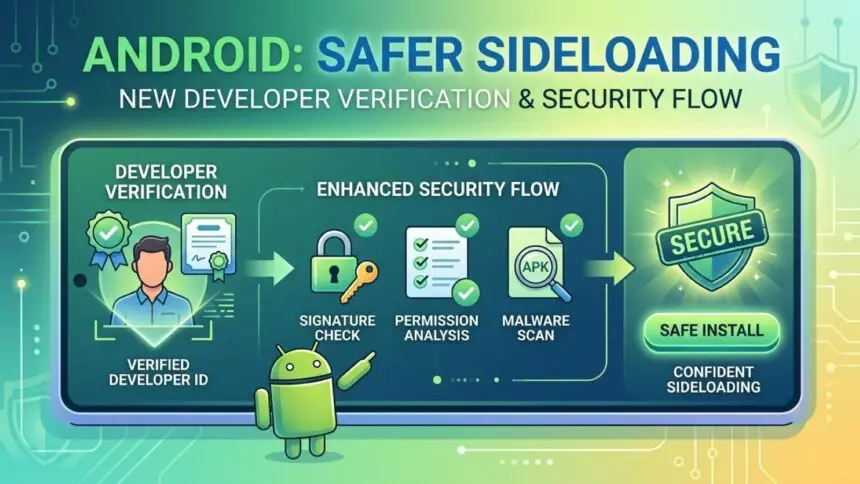
- Android introduces an advanced flow to improve Android sideloading security while keeping user freedom.
- New safeguards help protect users from scams and social engineering attacks.
- Power users can still install apps from unverified developers with added safety checks.
Android sideloading security is getting a major upgrade as the platform announces a new “advanced flow” implemented to protect users while preserving its open ecosystem. The update focuses on giving Android users the freedom to install apps from unverified sources without exposing them to common scam tactics.
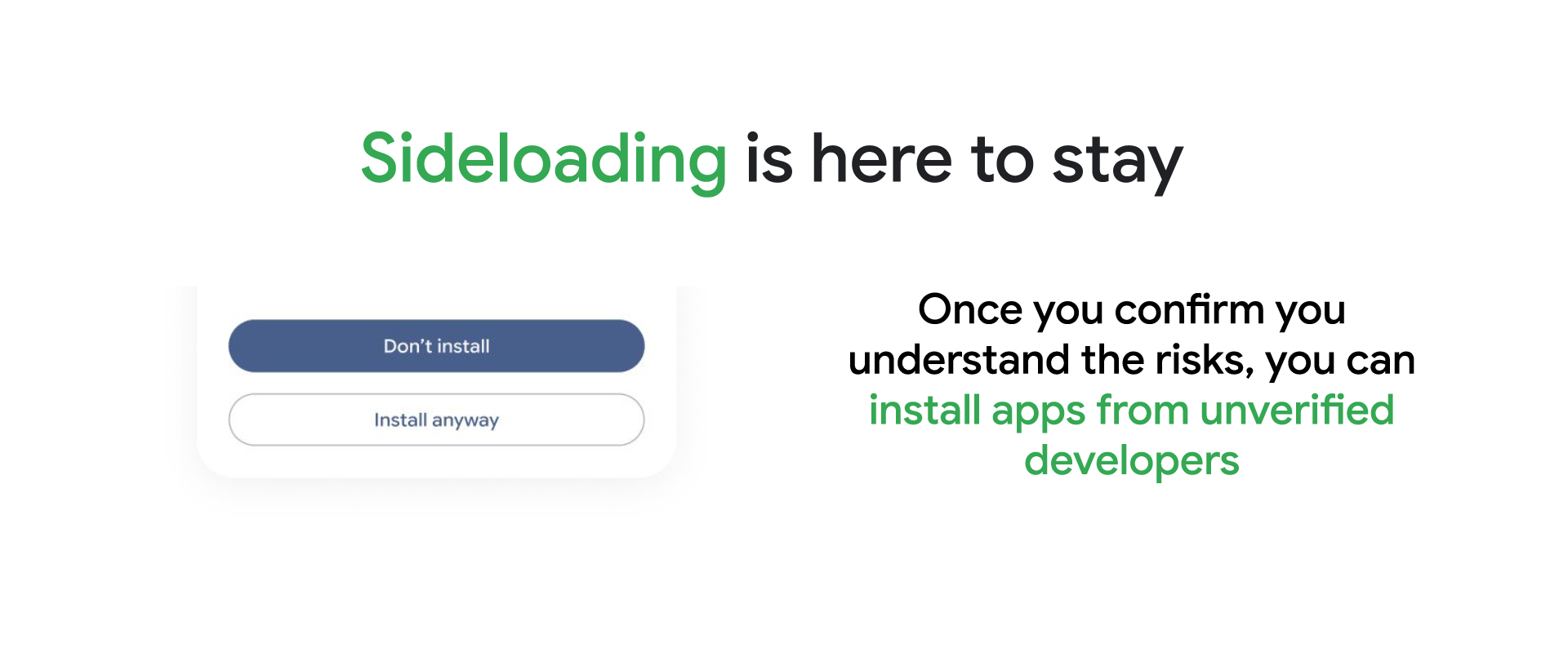
Keeping Android open, but safer
Android has long stood out for its flexibility, especially when it comes to installing apps outside official app stores. This process, known as sideloading, is popular among developers and advanced users.
However, that same openness has also made Android a target for malicious attackers.
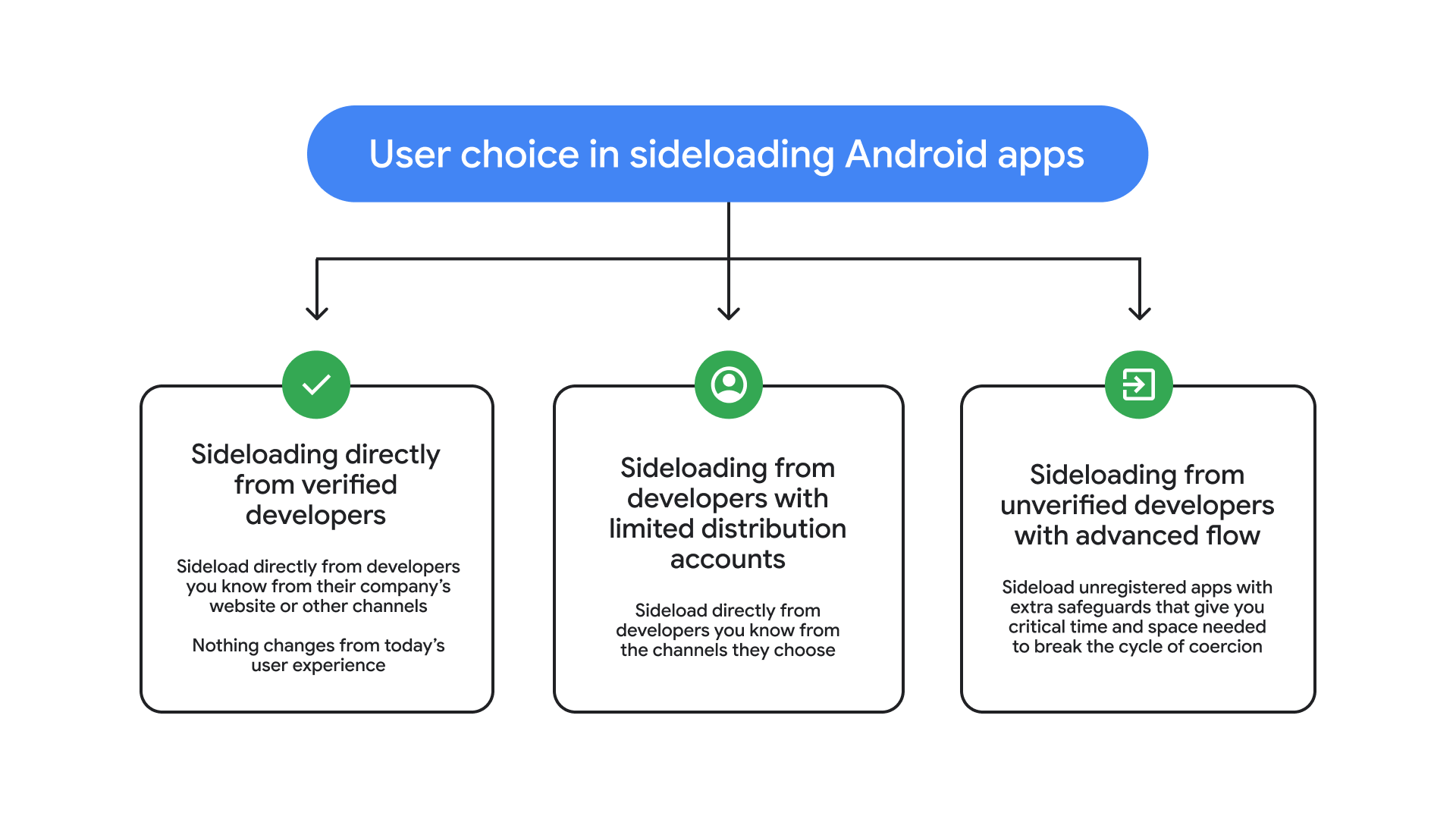
Instead of restricting sideloading altogether, Android is taking a more balanced approach, adding safeguards that ensure users make deliberate, informed decisions before installing apps from unknown sources.
Why this change matters now
Online scams are becoming more advanced and more widespread. According to a 2025 report by the Global Anti-Scam Alliance (GASA), around 57% of adults globally encountered a scam in the past year, leading to estimated losses of $442 billion.
Many scams rely on psychological pressure. Victims are often rushed into bypassing security warnings or installing harmful apps while being guided over phone calls.
Android’s new approach is intended to disrupt this pattern by slowing down the process and encouraging users to pause and think.

How the advanced sideloading flow works
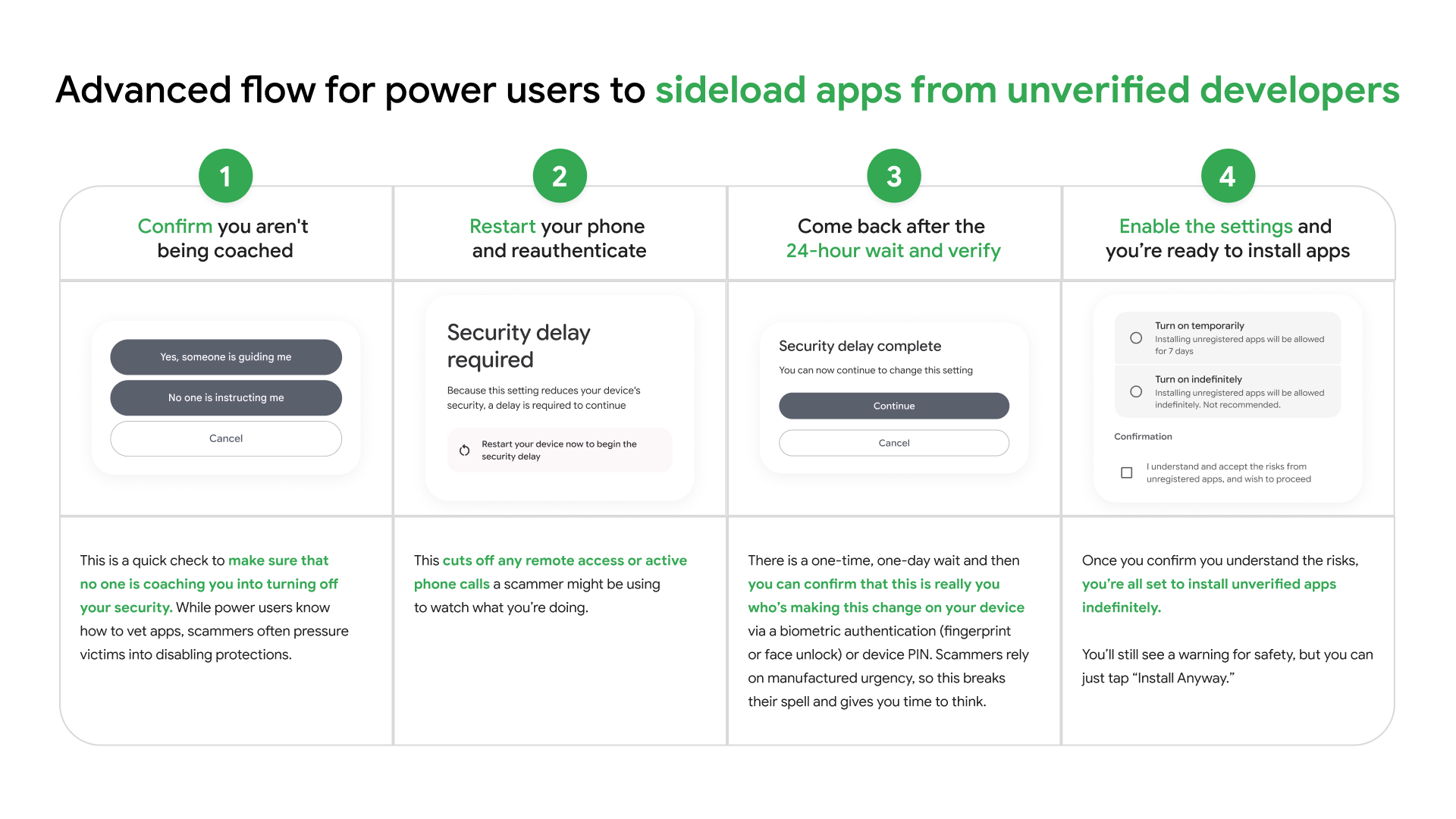
The new system includes a series of steps that make sideloading more intentional. Each step is developed to reduce the chances of users being manipulated during high-pressure situations.
Turning on developer mode
Users must manually enable developer mode in their device settings. This prevents quick, accidental bypasses often used in scam scenarios.
A built-in reality check
Android encourages users to confirm they are not being coached or pressured into disabling security protections, addressing a common tactic used by scammers.
Restarting the device
Users are required to restart their phone and log back in. This step helps cut off remote access or active calls that may be used to monitor actions.
A mandatory waiting period
A 24-hour delay is built into the process. Since scammers depend on urgency, this waiting period gives users time to reconsider or seek help.
Final identity verification
After the waiting period, users must verify their identity using biometrics (fingerprint or face unlock) or a device PIN.
Installing apps with awareness
Once the process is complete, users can install apps from unverified developers. Android will still display a warning, but users can proceed if they choose. Permissions can be granted temporarily (such as for 7 days) or indefinitely.
Support for students and passionate developers
Alongside these changes, Android is adding limited distribution accounts. These accounts allow developers to share apps with up to 20 devices without needing a government-issued ID or paying registration fees.
This ensures that learning, testing, and experimentation remain accessible within the Android ecosystem.
Android sideloading security rollout timeline
The advanced sideloading flow and limited distribution accounts are scheduled to launch in August 2026, ahead of new developer verification requirements.
By slowing down high-risk actions and encouraging informed decisions, Android is strengthening a key principle, that is, users should have freedom but also the tools to stay safe.
Keep up with the tech that actually matters.
Add us as a preferred source on Google Search for quicker access to our coverage.