How to turn off Instagram Instants?

Aadil Raval
3 Min Read
Highlights
  • Instagram Instants is a new feature that lets users share ephemeral or 24 hours unedited photos.
  • However, many users have reported it to be annoying and that is what I found the same.
  • Here's your step-by-step instructions on how to turn off Instagram Instants on your Android or iOS app.

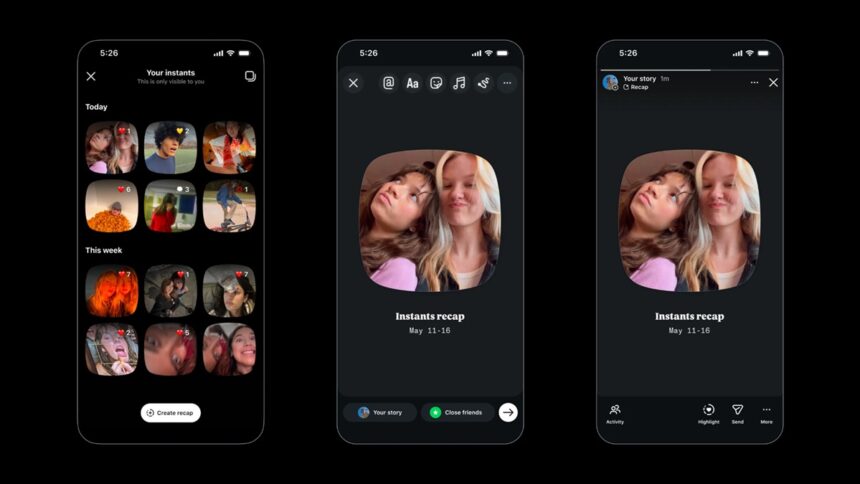
Over the past few days, I stumbled upon Instagram Instants, a new feature that lets your friends and family know what you are up to at the moment. Soon enough, I realized that I needed to turn off Instagram Instants, as I found it more distracting than ever.

What Is Instagram Instants and why you should get rid of it 

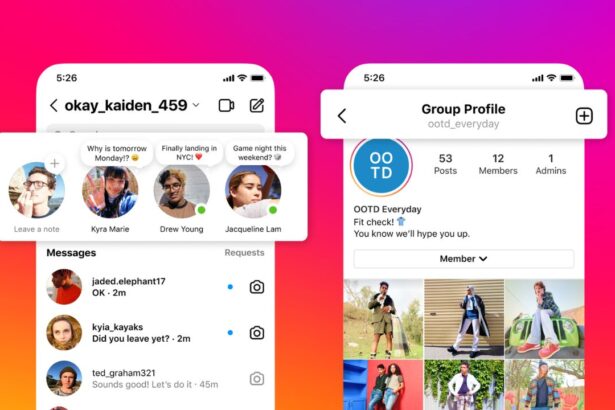
These Instants are a way to show your friends and mutual friends an unedited and disappearing view of what you are up to that will be displayed in Instagram’s DM inbox. I found these posts to cause more interference in the usual Instagram experience I know and am fond of.

Although these photos vanish after 24 hours (ephemeral in nature), the instants are still lurking on the right side of your inbox’s screen, which is what made it annoying. I mean, you can accidentally click on these instants, popping them up wide when you don’t want to.
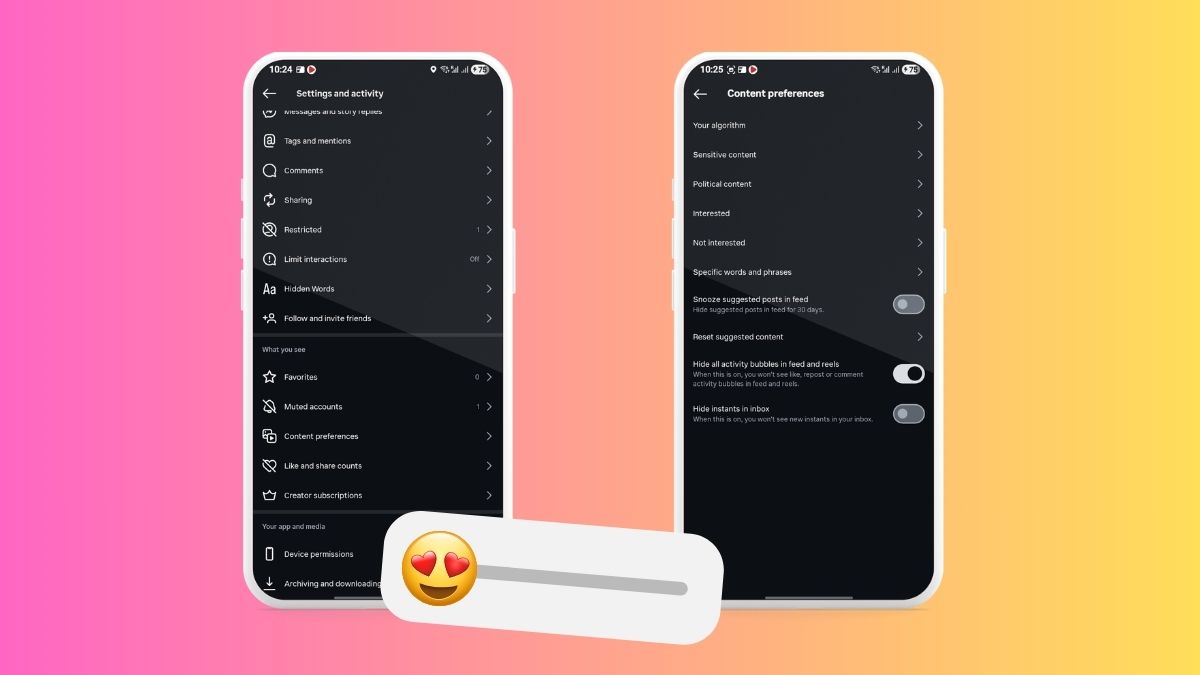
How to turn off Instagram Instants
Image Credits: True-Tech

The feature is meant to give users another juncture to share what they are doing in a casual and immediate setting, unlike reels or stories where they can edit and polish before posting. They are accustomed to such curation.

However, Instants bypasses that, letting you show your unedited self or what you are doing. I personally feel it is a bad choice to use Instagram Instants, and I would say many users would follow, as the feature is outright annoying.

How to turn off Instagram Instants

Whether you have an iOS or an Android phone, here’s how you can turn it off on the Instagram app.

  1. First up, launch the Instagram app (of course).
  2. Next, proceed to the ‘Profile’ icon in the bottom-right corner.
  3. Click on the three-dash menu on the top-right corner.
  4. Scroll to under “What you see” and click on “Content Preferences.”
  5. Finally, toggle off “Hide Instants in Inbox.”

This will finally turn off Instagram Instants, a much-needed feature on Instagram at the moment, I would say.

Besides that, you can toggle “Hide all activity bubbles in feed and reels” to prevent reports, comments, likes, and other bubbles from filling up your screen. 

Wrapping up

Although it would be unfair to say the Instagram Instants are simply a waste of time, as many users might still be interested, I am happy that Instagram decided to let users turn off this feature at will. It gives a much higher sense of control on the Instagram app, allowing users to continue using the feature, which is turned on by default, or choose to turn it off.

Keep up with the tech that actually matters.

From breaking news to deep dives, TrueTech brings you the tech stories worth knowing.
Add us as a preferred source on Google Search for quicker access to our coverage.

Add TrueTech as a preferred source on Google
Share This Article
Follow:
A wordsmith, a kin tech observer, a sci-fi fanatic and a scientific documentary buff.
Highlights
  • Instagram Instants is a new feature that lets users share ephemeral or 24 hours unedited photos.
  • However, many users have reported it to be annoying and that is what I found the same.
  • Here's your step-by-step instructions on how to turn off Instagram Instants on your Android or iOS app.

Over the past few days, I stumbled upon Instagram Instants, a new feature that lets your friends and family know what you are up to at the moment. Soon enough, I realized that I needed to turn off Instagram Instants, as I found it more distracting than ever.

What Is Instagram Instants and why you should get rid of it 

These Instants are a way to show your friends and mutual friends an unedited and disappearing view of what you are up to that will be displayed in Instagram’s DM inbox. I found these posts to cause more interference in the usual Instagram experience I know and am fond of.

Although these photos vanish after 24 hours (ephemeral in nature), the instants are still lurking on the right side of your inbox’s screen, which is what made it annoying. I mean, you can accidentally click on these instants, popping them up wide when you don’t want to.

How to turn off Instagram Instants
Image Credits: True-Tech

The feature is meant to give users another juncture to share what they are doing in a casual and immediate setting, unlike reels or stories where they can edit and polish before posting. They are accustomed to such curation.

However, Instants bypasses that, letting you show your unedited self or what you are doing. I personally feel it is a bad choice to use Instagram Instants, and I would say many users would follow, as the feature is outright annoying.

How to turn off Instagram Instants

Whether you have an iOS or an Android phone, here’s how you can turn it off on the Instagram app.

  1. First up, launch the Instagram app (of course).
  2. Next, proceed to the ‘Profile’ icon in the bottom-right corner.
  3. Click on the three-dash menu on the top-right corner.
  4. Scroll to under “What you see” and click on “Content Preferences.”
  5. Finally, toggle off “Hide Instants in Inbox.”

This will finally turn off Instagram Instants, a much-needed feature on Instagram at the moment, I would say.

Besides that, you can toggle “Hide all activity bubbles in feed and reels” to prevent reports, comments, likes, and other bubbles from filling up your screen. 

Wrapping up

Although it would be unfair to say the Instagram Instants are simply a waste of time, as many users might still be interested, I am happy that Instagram decided to let users turn off this feature at will. It gives a much higher sense of control on the Instagram app, allowing users to continue using the feature, which is turned on by default, or choose to turn it off.

Keep up with the tech that actually matters.

From breaking news to deep dives, TrueTech brings you the tech stories worth knowing.
Add us as a preferred source on Google Search for quicker access to our coverage.

Add TrueTech as a preferred source on Google
Share This Article
Follow:
A wordsmith, a kin tech observer, a sci-fi fanatic and a scientific documentary buff.